

I visited IIT Delhi along with Mr. KVS Rao, where we had the opportunity to interact with Ms. Anupama (Senior Consultant at IIT Delhi Design Innovation Center (DIC)). She is responsible for initiating and driving multiple programs in design, innovation & entrepreneurship. She introduced us to various assistive technologies and tools designed for children with visual impairment (CWVI). The discussion focused on how these tools are being thoughtfully modified to suit the Indian context, ensuring they are affordable, accessible, and practically usable in everyday life, academics, and sports.
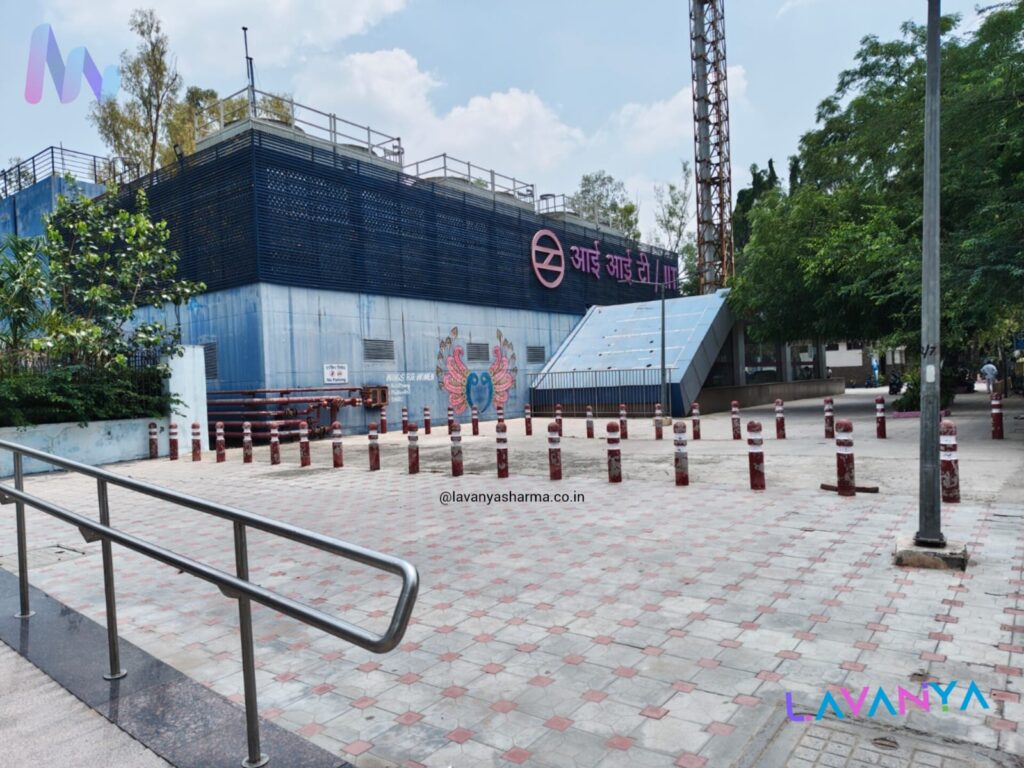
During our visit to IIT Delhi, we observed that the assistive technologies and tools were thoughtfully classified into more than five sections, based on the specific needs of children and individuals with visual impairment. Each section was systematically arranged, positively displayed, and clearly differentiated, making it easier to understand their purpose and use.
The sections included accessible workplaces, accessible education, accessible daily-living tools, mobility and orientation aids, and accessible sports equipment. Every section had its own unique characteristics and design approach, addressing real-life challenges in a practical manner.
In the following sections of this blog, we will explore each category one by one, discussing the different tools, their functions, and how they are being adapted to suit the Indian context, ensuring usability, affordability, and inclusion.
Accessible Education
Accessible education focuses on using specially designed tools and strategies to make learning easy, meaningful, and inclusive for children with visual impairment. These tools support both academic learning and co-curricular activities, ensuring that no child is left behind due to lack of access.
Since visual impairment is a sensory impairment involving partial or complete loss of vision, learning through visual input alone becomes challenging. Therefore, accessible education emphasizes the use of other senses such as touch, hearing, and movement to help children gather information and understand their surroundings.
Through tactile materials, auditory supports, and hands-on learning tools, children with visual impairment can explore concepts, build knowledge, and learn at their own pace. This multisensory approach not only enhances understanding but also promotes independence, confidence, and active participation in the learning process.
Braille Writing Slate with Stylus
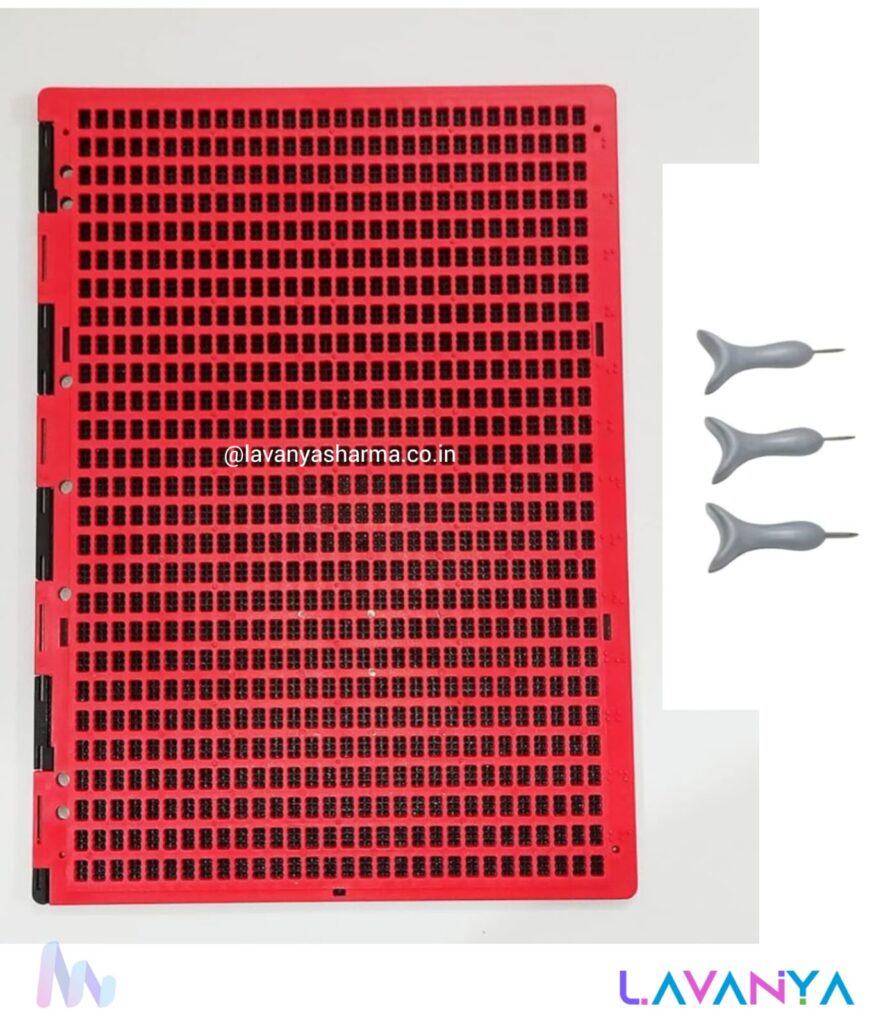
The Braille slate and stylus is one of the most fundamental and widely used tools in accessible education for students with visual impairment. During our visit to IIT Delhi, we observed how this tool continues to play a crucial role in both special schools and inclusive classroom settings.
This tool enables students to write Braille independently by embossing dots on paper using a stylus guided through the slate. Although simple in design, it is highly effective in supporting literacy development, note-taking, examinations, and daily academic tasks.
At IIT Delhi, emphasis was placed on how such traditional tools are being modified and refined in the Indian context—making them more durable, affordable, and user-friendly for students across different age groups. The structured grid of the slate helps maintain accuracy in dot formation, while the stylus allows controlled tactile writing, strengthening fine motor skills and tactile discrimination.
The Braille slate and stylus promote self-reliance, confidence, and equal participation in learning. By using touch as the primary sense, students can access written language at their own pace, reinforcing the idea that accessible education is not about limitation, but about thoughtful design and opportunity.
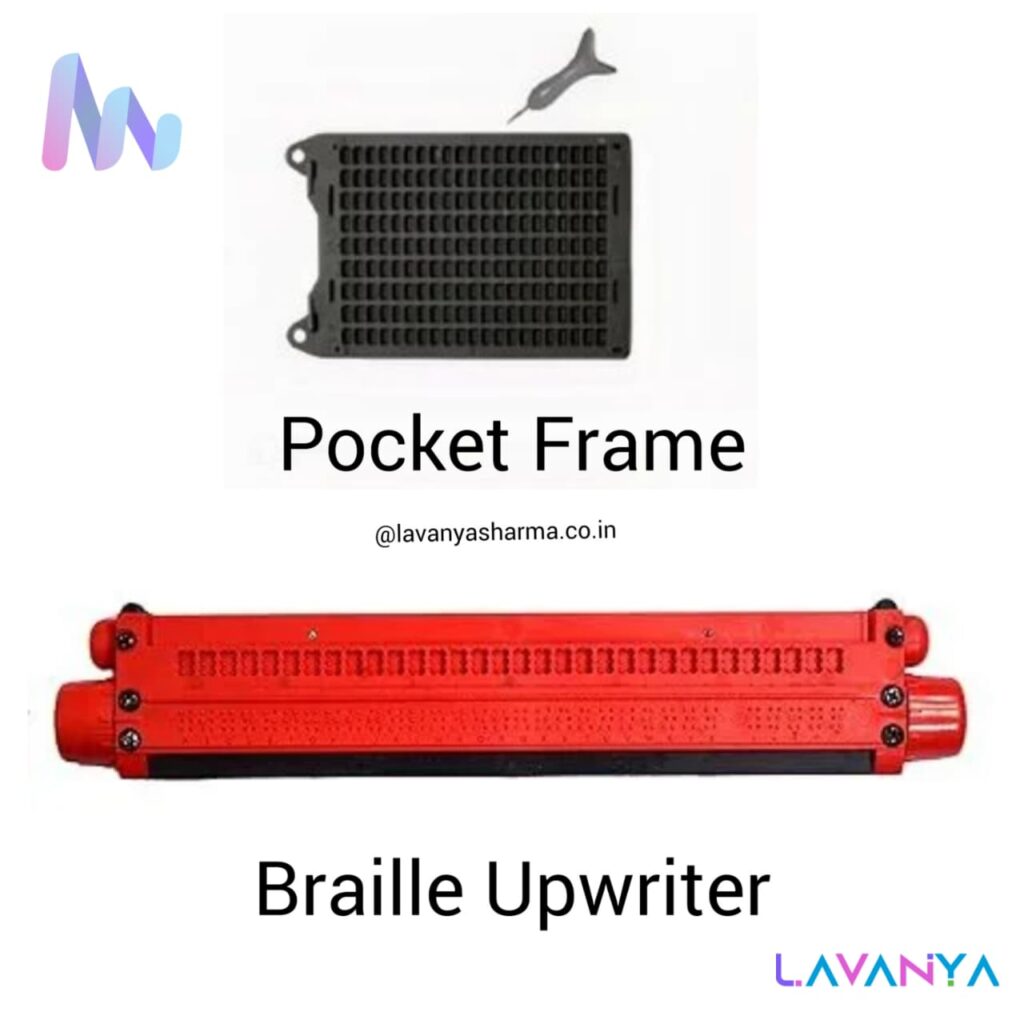
Pocket Frame (Pocket Braille Slate)
The Pocket Frame, also known as a pocket Braille slate, is a compact and portable Braille writing tool designed for quick and convenient use. It is especially useful for students and adults with visual impairment who need to write on the go.
This tool allows users to:
- write short notes
- label items
- practice Braille letters and numbers
- record reminders or classroom points
Because of its small size and lightweight design, the pocket frame can be easily carried in a bag or pocket, making it ideal for daily use in schools, homes, and community settings. It supports independent learning and encourages students to use Braille beyond the classroom, promoting real-life literacy skills.
Braille Typewriter (Braille Upwriter)
The Braille Typewriter, commonly known as a Braille Upwriter, is an advanced writing tool used for faster and more efficient Braille writing. It consists of multiple keys that allow users to emboss Braille characters by pressing combinations of keys simultaneously.
This tool is highly beneficial for:
- writing long academic content
- completing classwork and examinations
- preparing assignments and notes
- improving writing speed and accuracy
The Braille Upwriter reduces physical effort compared to manual slates and styluses and provides clear, uniform Braille dots, making reading easier. During our visit to IIT Delhi, the importance of such tools in inclusive and special education setups was highlighted, especially when adapted to meet Indian educational needs such as affordability, durability, and ease of maintenance.
Both the Pocket Frame and Braille Upwriter play a vital role in making education accessible, independent, and dignified for learners with visual impairment. While the pocket frame supports mobility and everyday writing, the Braille Upwriter enhances academic productivity and confidence.
Annie Braille Device
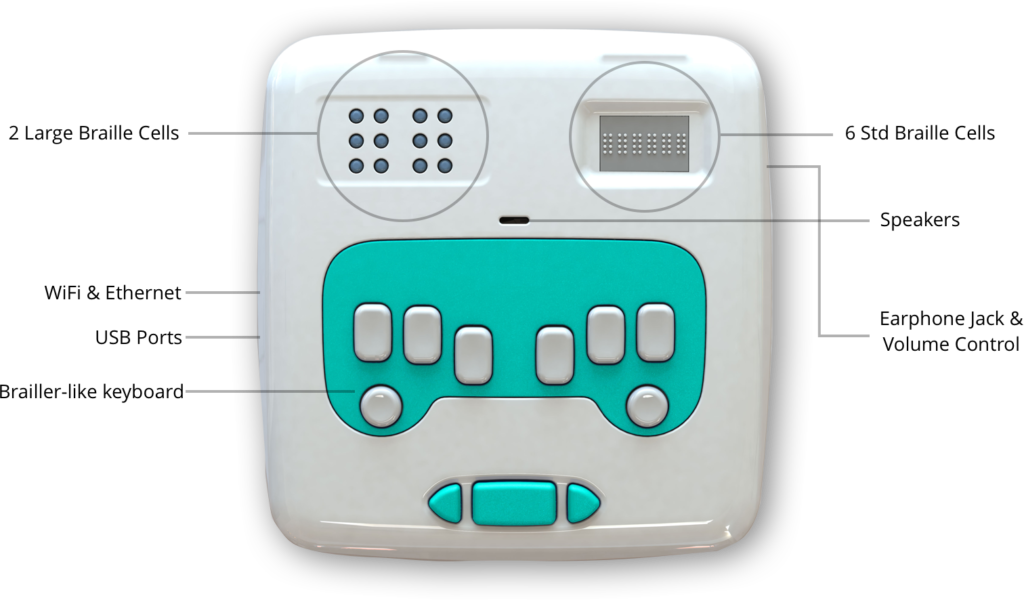
The Annie Braille Device is a revolutionary self‑learning tool that helps children with visual impairments independently learn to read, write, and type in Braille through an engaging mix of audio guidance, tactile feedback, and gamified lessons. Designed with refreshable Braille displays, a Braille keyboard, and interactive content, Annie teaches both basic and advanced Braille in multiple languages while giving instant corrective feedback and allowing progress tracking for parents and teachers. This innovative device makes Braille literacy fun, accessible, and confidence‑building, empowering visually impaired learners to gain vital skills at their own pace.
Signature Guide
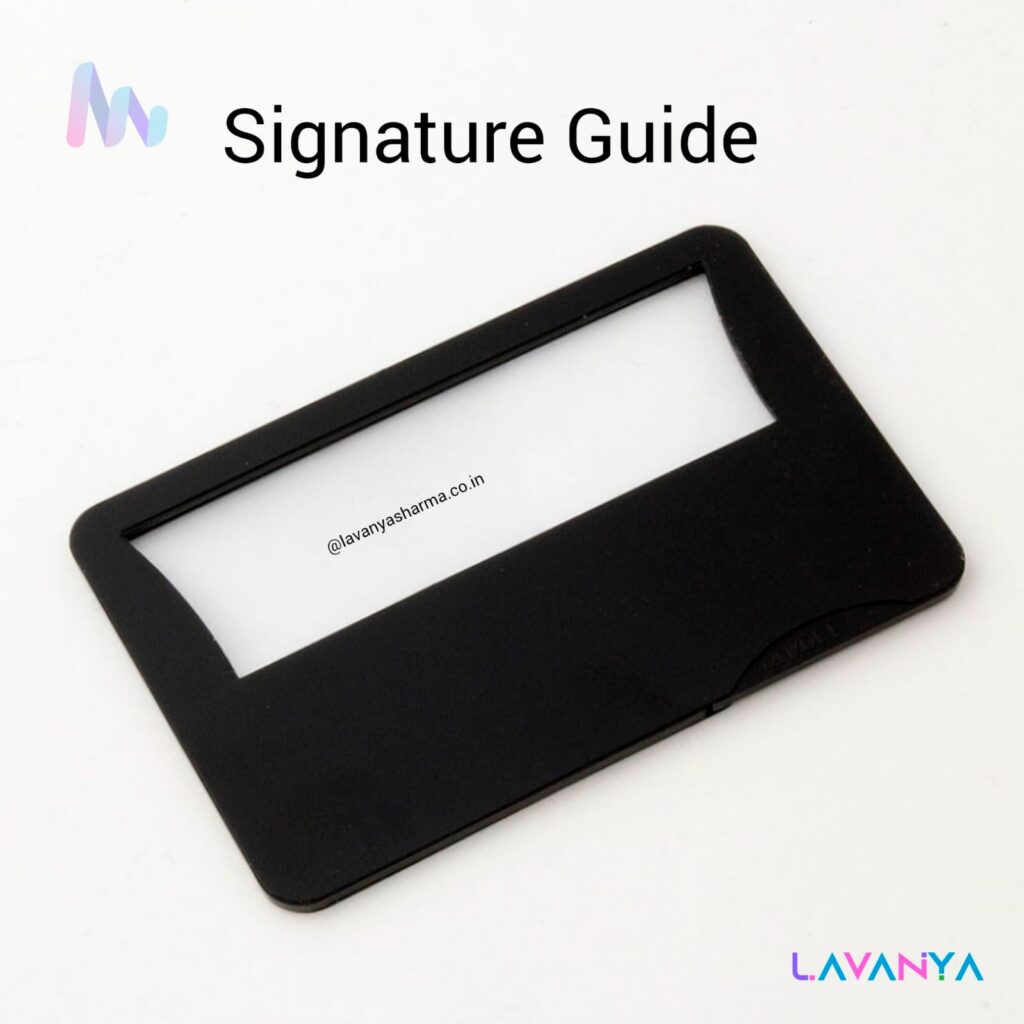
A signature guide is a flat template, usually made of plastic or cardboard, with a rectangular cut-out window. This window helps the child locate the correct space to sign and guides the hand to stay within the writing area.
A signature guide helps children with visual impairment by providing tactile boundaries that clearly indicate where to place the pen and how to stay within the signing space. Since Children with Visual Impairment rely more on touch and movement rather than vision, the raised edges of the guide reduce confusion, improve hand control, and support accurate writing. It enables children to sign documents independently in classrooms and daily life, such as attendance sheets, exams, and forms. By promoting independence, confidence, and functional writing skills, the signature guide plays an important role in helping Children with Visual Impairment participate equally and with dignity.
RV cassette blind and flyscreen
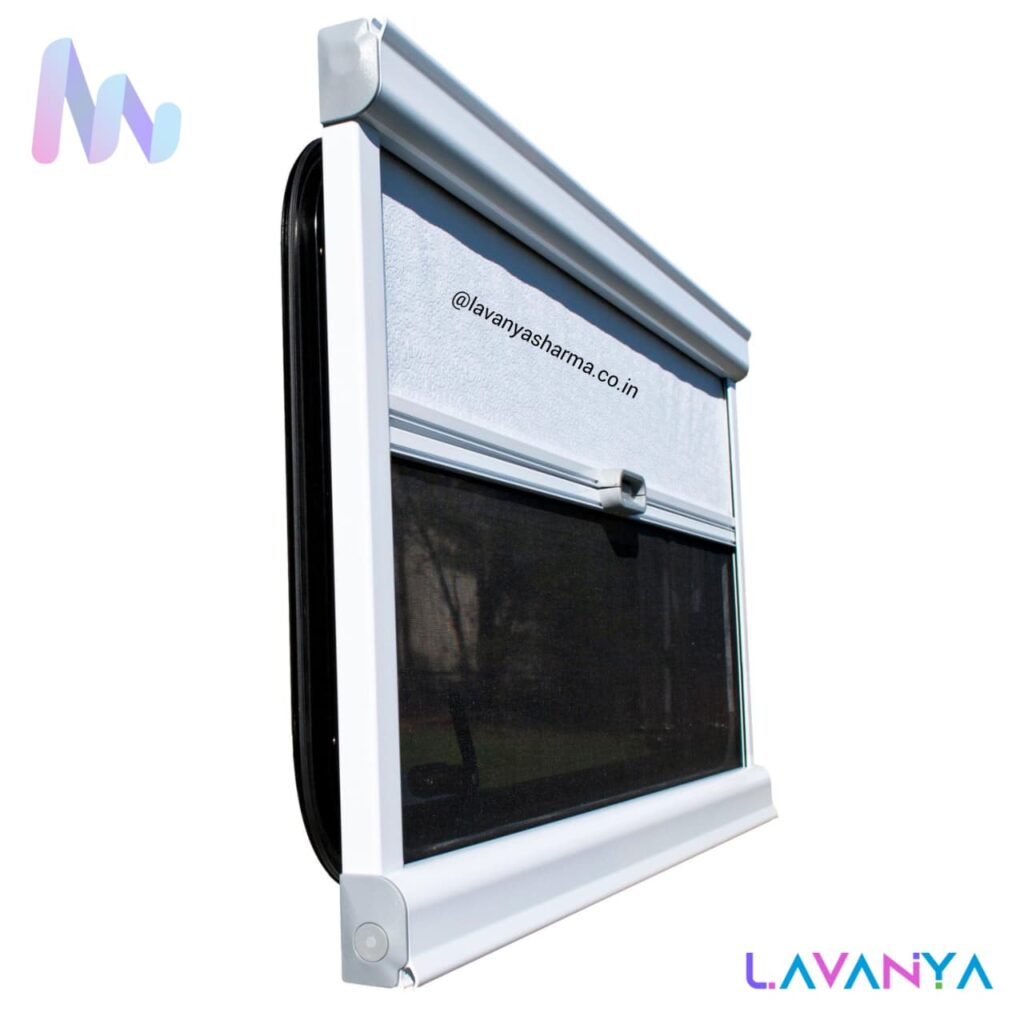
An RV cassette blind and flyscreen is a combined window system designed to improve comfort, safety, and accessibility, especially for children and individuals with visual impairment. The cassette blind helps control light, glare, and heat, while the flyscreen prevents insects and dust from entering the room—without blocking airflow. For CWVI, this setup reduces visual strain caused by harsh sunlight, creates a predictable and clutter-free environment, and minimizes sudden distractions. The smooth sliding mechanism and fixed frame make it easy to operate independently, supporting daily living skills in classrooms, hostels, and accessible workplaces. Overall, it promotes a calm, safe, and sensory-friendly space, which is essential for effective learning and independence.
Angel Daisy Player/ Evo E11 DAISY Player
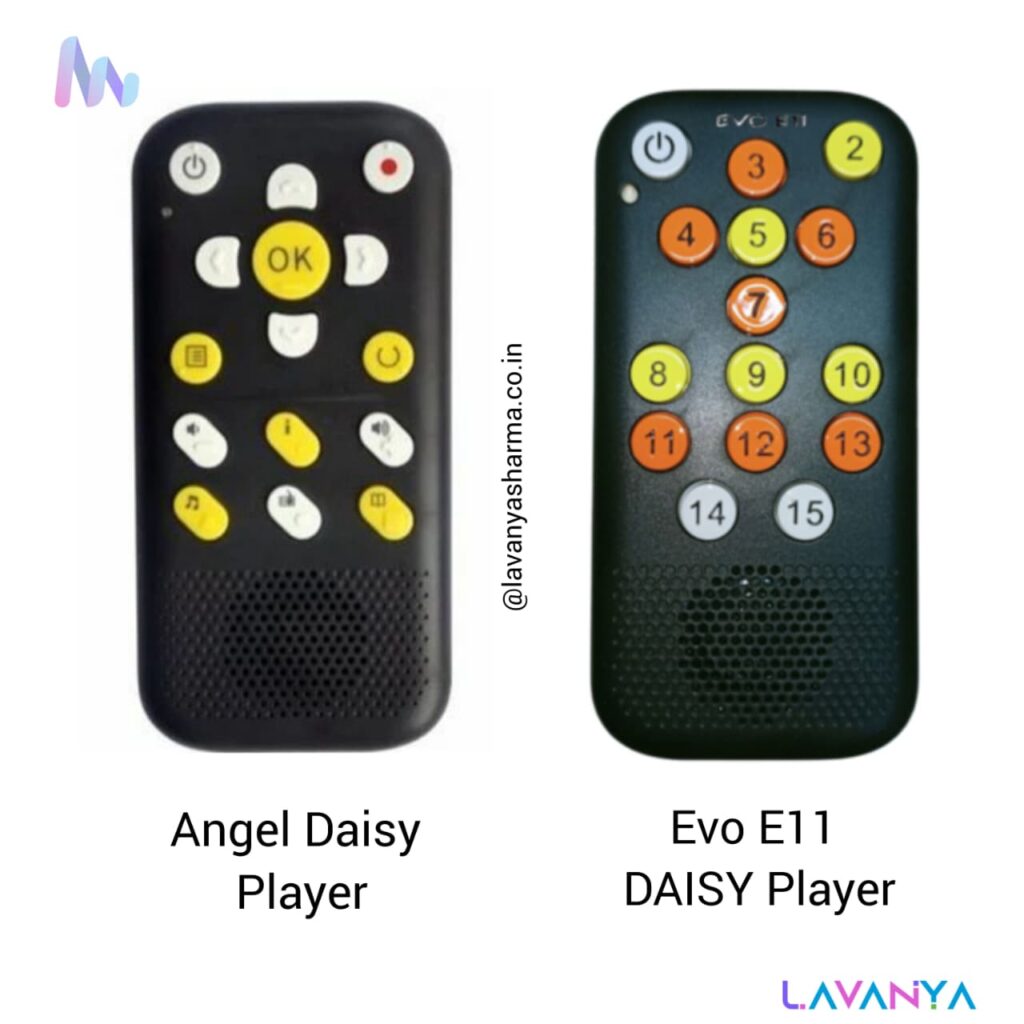
The Angel DAISY Player is a portable, easy-to-use audio player designed specifically to play DAISY (Digital Accessible Information SYstem) books — an accessible audio format developed for people who are blind or have low vision. Unlike regular audio players, DAISY players allow users to navigate efficiently through books, just like using a real book. Users can jump by chapter, page, sentence, or bookmark, which makes it much easier to study, revise, and retrieve specific information quickly.
The Angel Daisy Player usually has large tactile buttons, an intuitive layout, and audio prompts, so users don’t need to see the display. This makes it ideal for students, teachers, and everyday users with visual impairment who rely on listening for learning and reading. It supports long listening time, lightweight portability, and is often used in schools, colleges, and personal study.
The Evo E11 DAISY Player is another advanced device designed for playing DAISY books and accessible audio resources. It combines robust navigation features with a comfortable user interface, so users can easily access educational content, textbooks, novels, and reference materials.
Like other DAISY players, the Evo E11 supports:
- Structured navigation (by chapter, heading, page, etc.)
- Bookmarks for easy retrieval
- Adjustable playback speed
- Memory card support for storing many books
Many teachers and students prefer the Evo E11 because it balances professional features with user-friendly operation. The physical buttons and menus are designed for people with visual impairment, making daily academic listening efficient and independent.
Tactile drawing board with its stylus
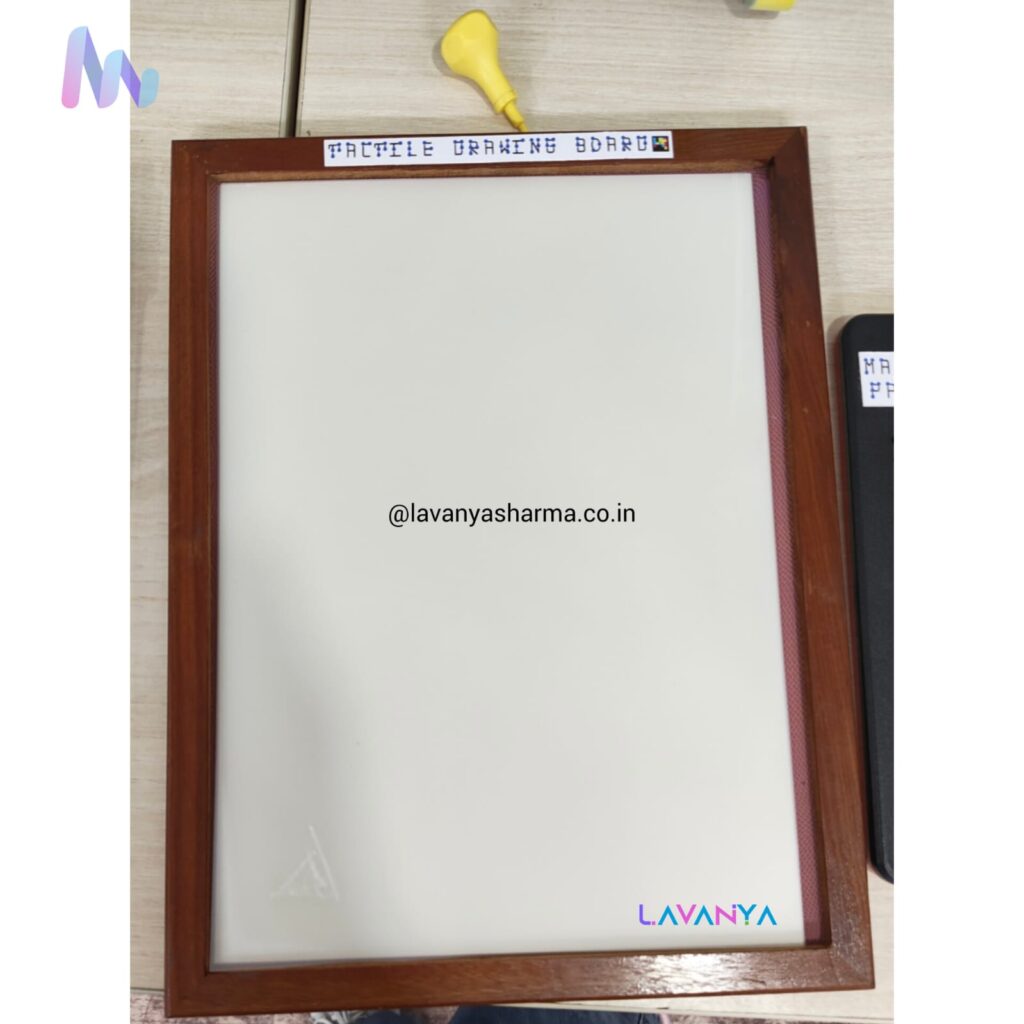
A tactile drawing board with its stylus is an important assistive learning tool for children with visual impairment, as it allows them to understand and create shapes, diagrams, maps, and patterns through touch rather than sight. The stylus is used to draw on the textured surface of the board, creating raised lines that can be felt with the fingertips. This helps children explore visual concepts in a hands-on way, supports multisensory learning, and improves fine motor skills and spatial understanding. By converting visual information into tactile form, the tactile drawing board enables CWVI to learn independently, participate actively in classroom activities, and build confidence in both academic and creative tasks.
Tactile Acitivity Books
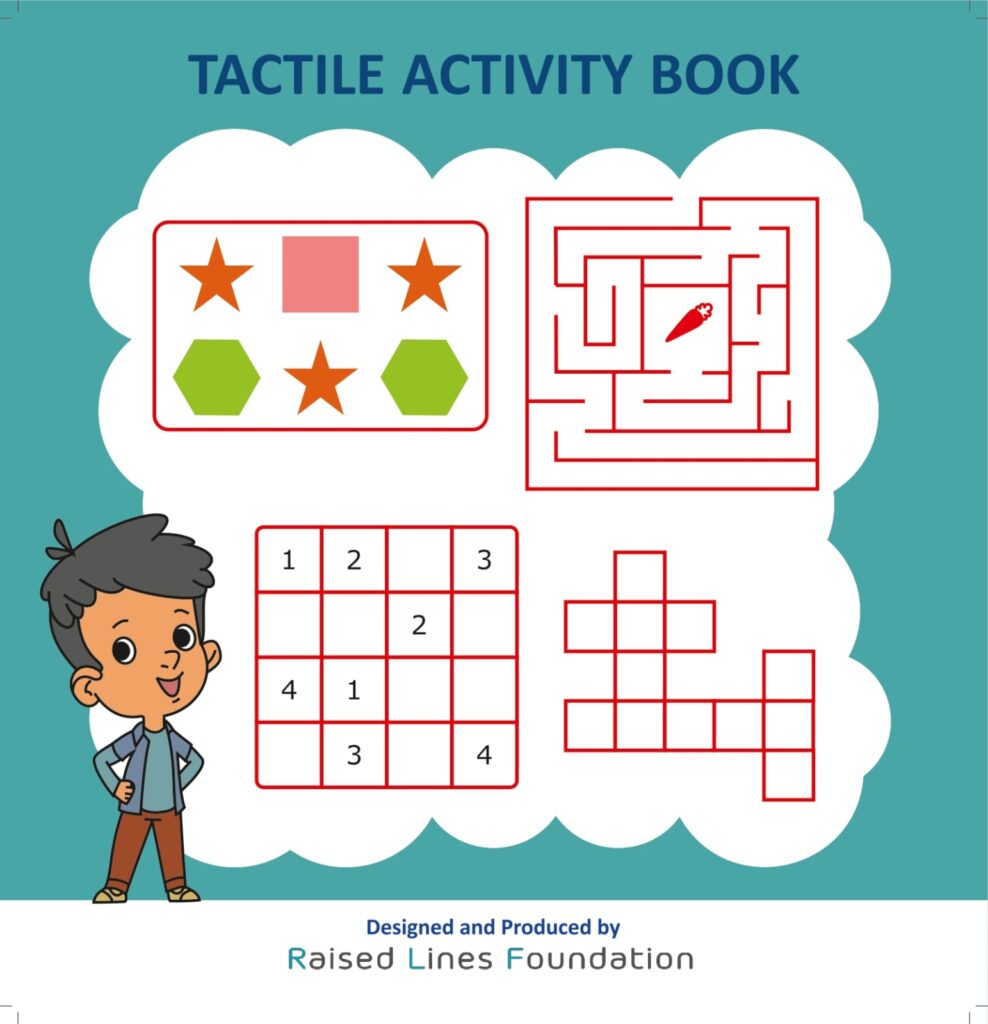
Tactile activity books by the Raised Lines Foundation are specially designed educational resources for children with visual impairment that use raised lines, textures, and tactile graphics to make learning interactive and meaningful. These books convert visual images, diagrams, and pictures into touchable formats, allowing children to explore shapes, scenes, patterns, and educational content through their fingertips. By integrating tactile symbols with raised outlines, the books help CWVI understand concepts in subjects like math, science, geography, and everyday life skills in a way that is accessible and engaging. The multisensory experience provided by these tactile books boosts comprehension, promotes active learning, and supports confidence and independence in both classroom and home settings, making them valuable tools for inclusive education.
Low Vision Writing Guide
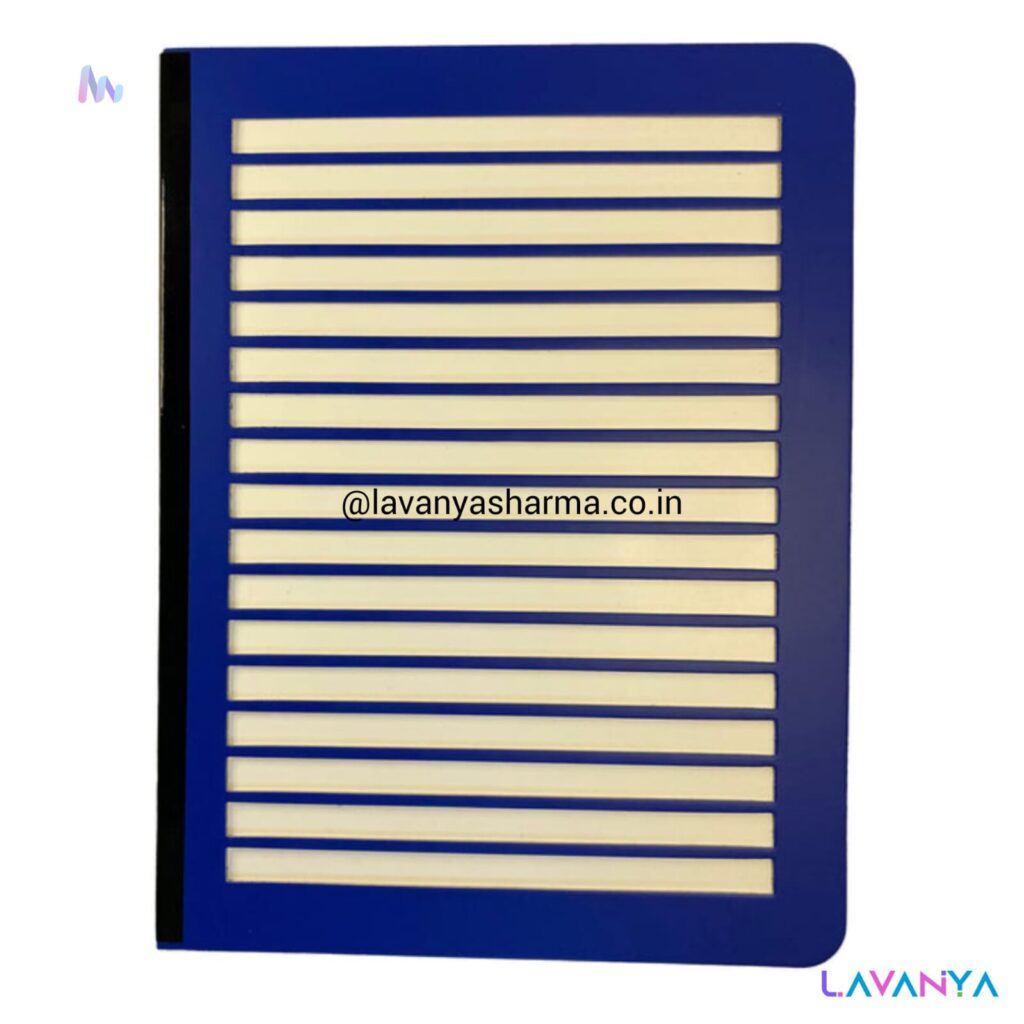
A low vision writing guide is an assistive tool designed to help children with low vision write neatly, confidently, and independently. It consists of clearly defined raised or high-contrast lines that guide the hand while writing, helping the child maintain proper alignment, spacing, and direction on the page. This reduces visual strain and confusion, especially during tasks like note-taking, exams, and worksheet completion. By providing both visual and tactile cues, the writing guide supports better handwriting control, improves accuracy, and builds confidence. In inclusive and special education settings, it plays an important role in promoting functional writing skills and enabling children with low vision to participate actively in academic activities with greater ease and dignity.
Magnifier
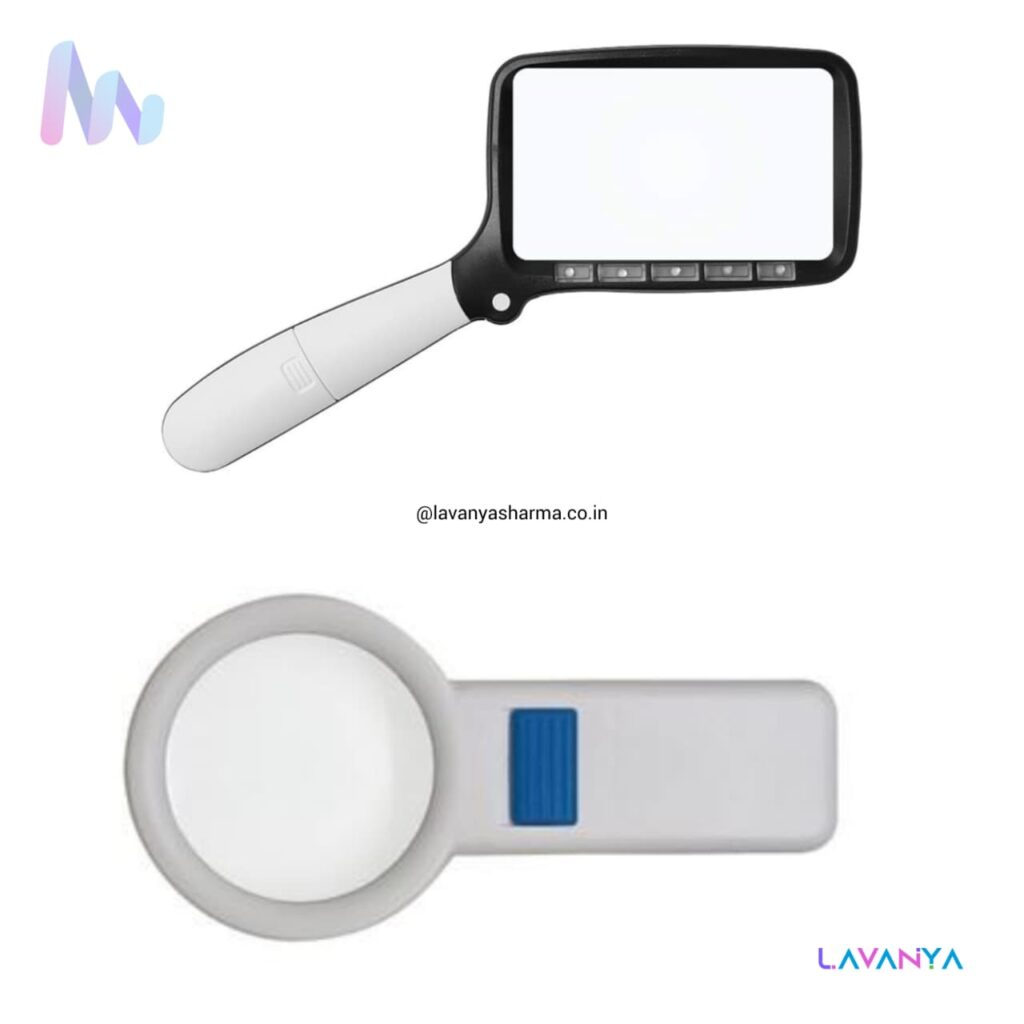
A magnifier is an essential assistive device used by children and individuals with low vision to enlarge text, images, and objects, making them easier to see and understand. It helps in activities such as reading textbooks, worksheets, labels, maps, and diagrams, both in classrooms and daily life. Many magnifiers are designed with built-in lighting, ergonomic handles, and adjustable magnification, which reduces eye strain and improves visual clarity. By enhancing residual vision, magnifiers support independent learning, better academic participation, and increased confidence, making them a valuable tool in inclusive and special education settings.
Electronic Magnifier
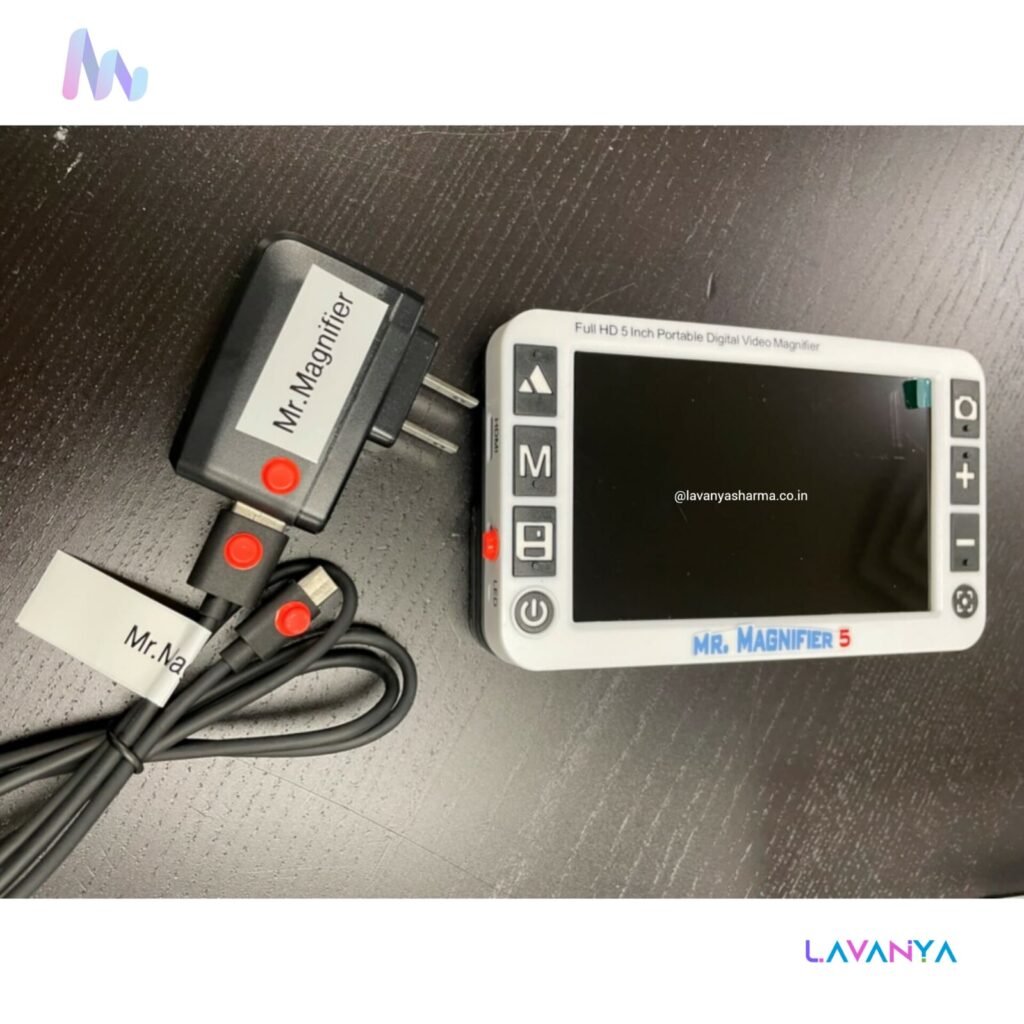
An electronic magnifier (also called a video magnifier) is an advanced assistive device designed to help people with low vision read, write, and view objects more easily by using a camera and digital screen. Unlike a traditional handheld magnifying glass, an electronic magnifier captures and enlarges text or images on a screen, allowing users to adjust the magnification level, contrast, brightness, and color settings according to their visual needs.
Electronic magnifiers are especially useful for:
- Reading textbooks, worksheets, and printed materials
- Viewing diagrams, maps, and charts in class
- Writing or filling forms with proper alignment
- Seeing details on photographs or objects
Most electronic magnifiers also offer freeze-frame features, adjustable display sizes, and high-contrast modes (e.g., white-on-black) to reduce eye strain and enhance clarity. These tools support independent learning and increase participation in academic and daily activities, making them highly valuable in inclusive and special education settings. Because users can customize visual settings, electronic magnifiers empower children with low vision to access visual content more comfortably and confidently.
Braille Dots Tactile Rewards
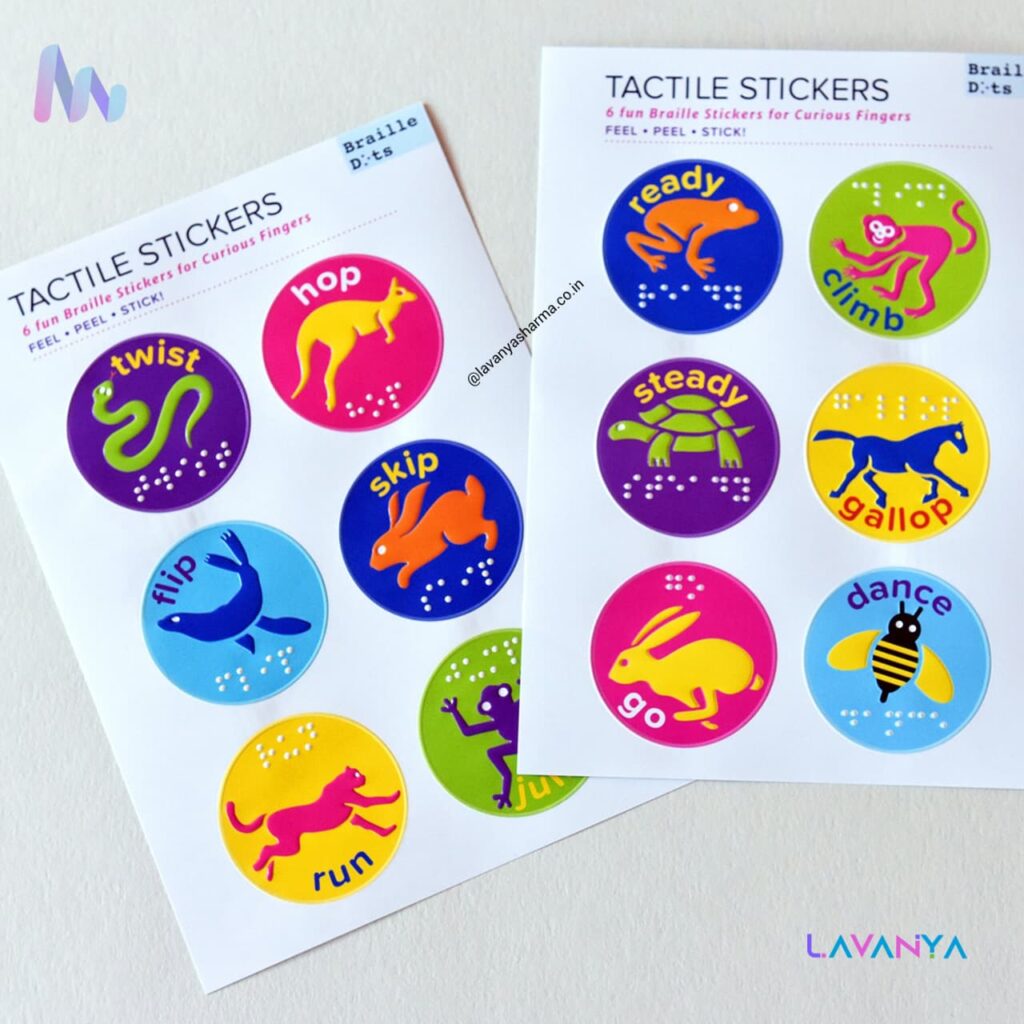
Braille Dots Tactile Rewards are small, tactile stickers or tokens that use raised dots to represent symbols, shapes, or Braille characters. These rewards are used as motivational tools in special and inclusive education settings to encourage children with visual impairment to participate, complete tasks, and build positive learning habits. Since students with visual impairment rely on their sense of touch, the raised Braille dots make the rewards meaningful, recognisable, and easy to interpret without vision. Teachers can give them as praise for good work, effort, improvement, or participation in class activities. By incorporating tactile rewards into learning, educators not only reinforce academic skills but also support confidence, engagement, and self-esteem in CWVI, making the learning experience more joyful and inclusive.
Tactile Calipers
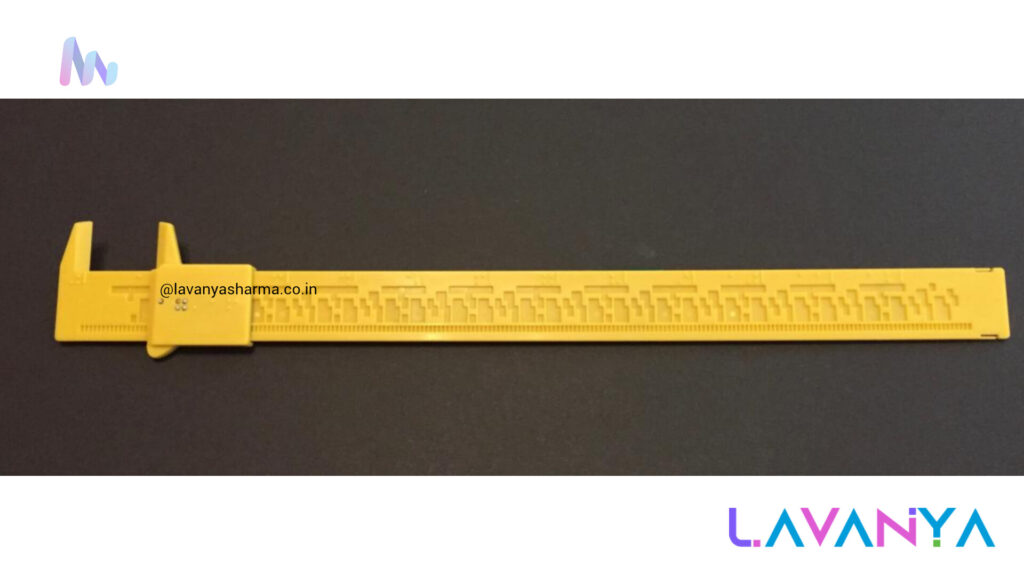
Tactile calipers are specialized measurement tools designed to help children and individuals with visual impairment explore and understand size, distance, and spatial relationships through touch. Unlike regular calipers that rely on sight to read numbers on a scale, tactile calipers incorporate raised markings, Braille labels, or textured indicators so that users can feel measurement values with their fingertips while adjusting the arms of the caliper. This makes it possible for learners with visual impairment to accurately measure objects, explore dimensions in subjects like math and science, and develop important concepts of length, width, depth, and precision. By providing tactile feedback, these tools promote hands-on learning, spatial awareness, and independent participation in academic activities, reinforcing the idea that measurement and data collection are accessible to all learners.
Abacus
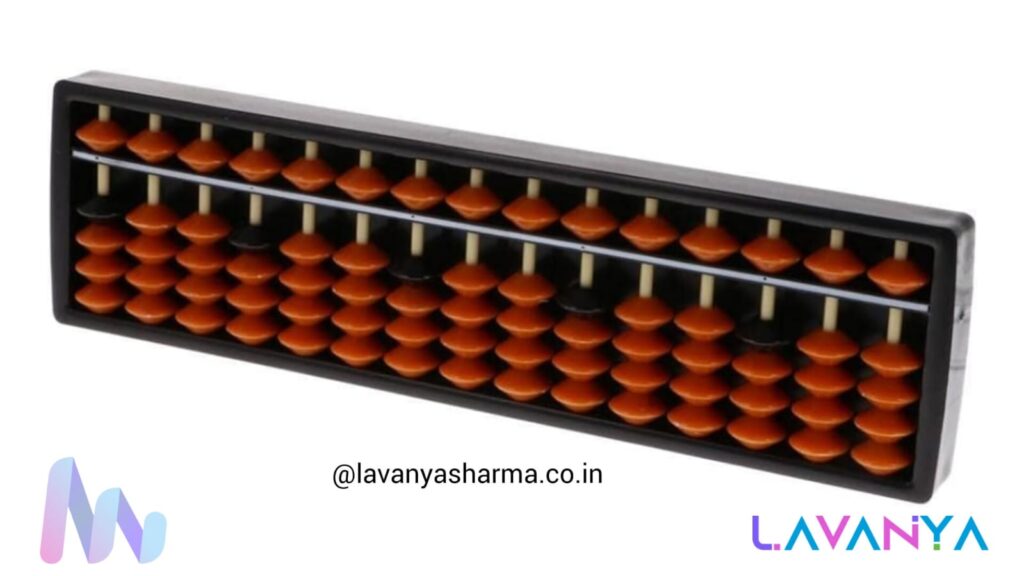
An abacus for children with visual impairment is a powerful tactile math tool that helps them understand and perform basic to advanced mathematical concepts through touch. It is specially designed with raised beads, a firm frame, and tactile markers, allowing children to feel each bead’s position clearly and move them confidently while counting, adding, subtracting, multiplying, or dividing. Unlike visual number systems, the abacus enables CWVI to build strong number sense, place value understanding, and mental calculation skills using their fingers. Regular use of the abacus also improves concentration, memory, and hand–finger coordination, making mathematics more accessible, meaningful, and independent for learners with visual impairment.
Talking Thermometer
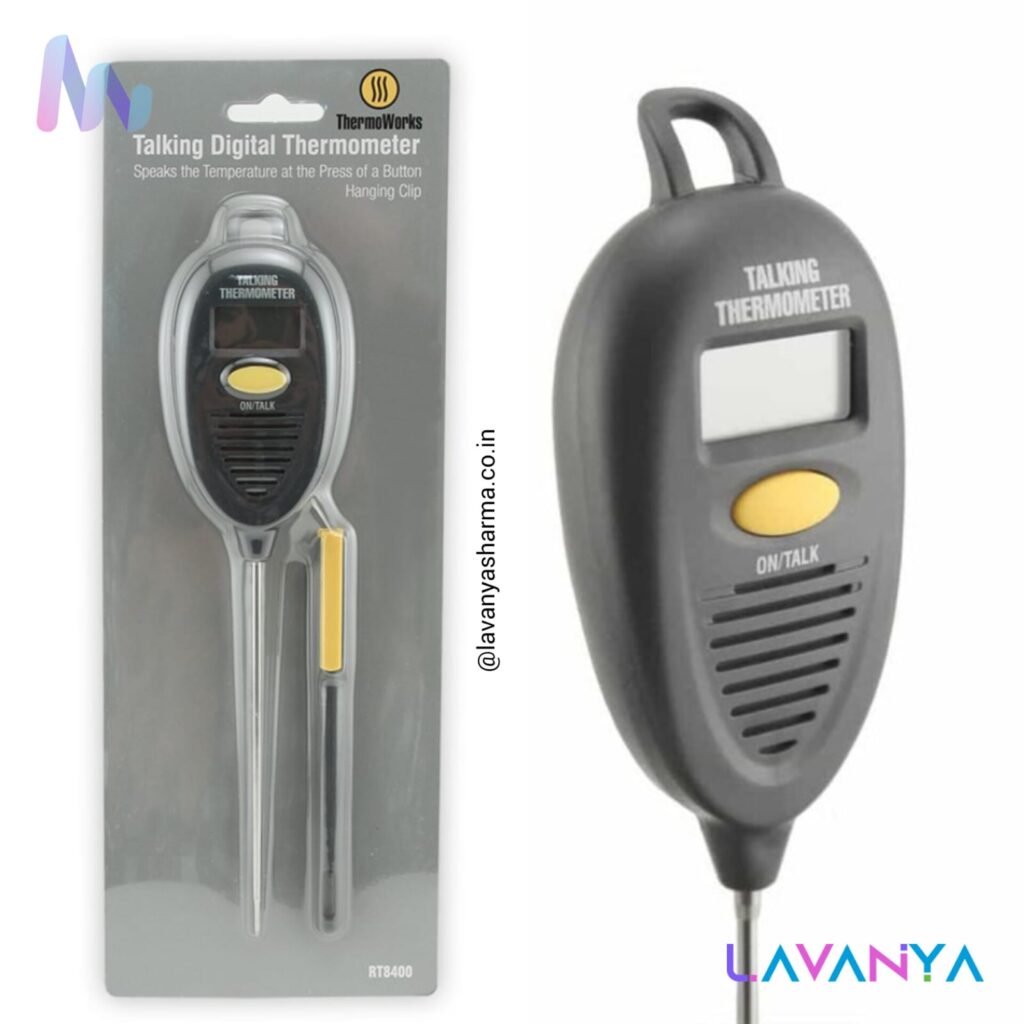
A talking thermometer is an assistive device designed for children and individuals with visual impairment that announces temperature readings through clear audio output. Instead of relying on visual display, the thermometer speaks the temperature aloud, making it easy to use independently at home, in schools, hostels, or healthcare settings. It is especially helpful for monitoring body temperature, understanding environmental temperature, and learning basic science and daily living concepts related to heat and cold. By providing accurate auditory feedback, the talking thermometer promotes safety, independence, and confidence, and supports CWVI in managing health and daily routines without depending on others.
Talking Scientific Calculator
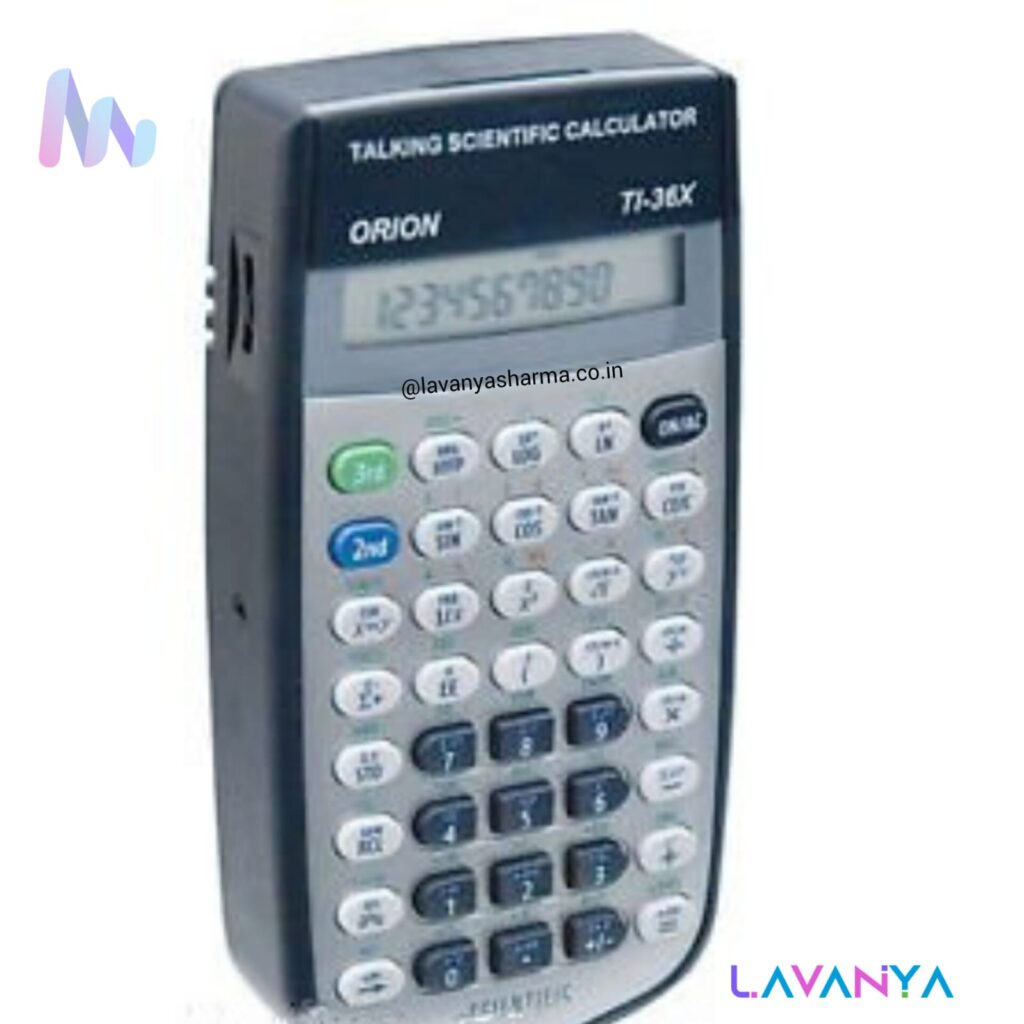
A talking thermometer is an assistive device designed for children and individuals with visual impairment that announces temperature readings through clear audio output. Instead of relying on visual display, the thermometer speaks the temperature aloud, making it easy to use independently at home, in schools, hostels, or healthcare settings. It is especially helpful for monitoring body temperature, understanding environmental temperature, and learning basic science and daily living concepts related to heat and cold. By providing accurate auditory feedback, the talking thermometer promotes safety, independence, and confidence, and supports CWVI in managing health and daily routines without depending on others.
Tactile Geometry Kit
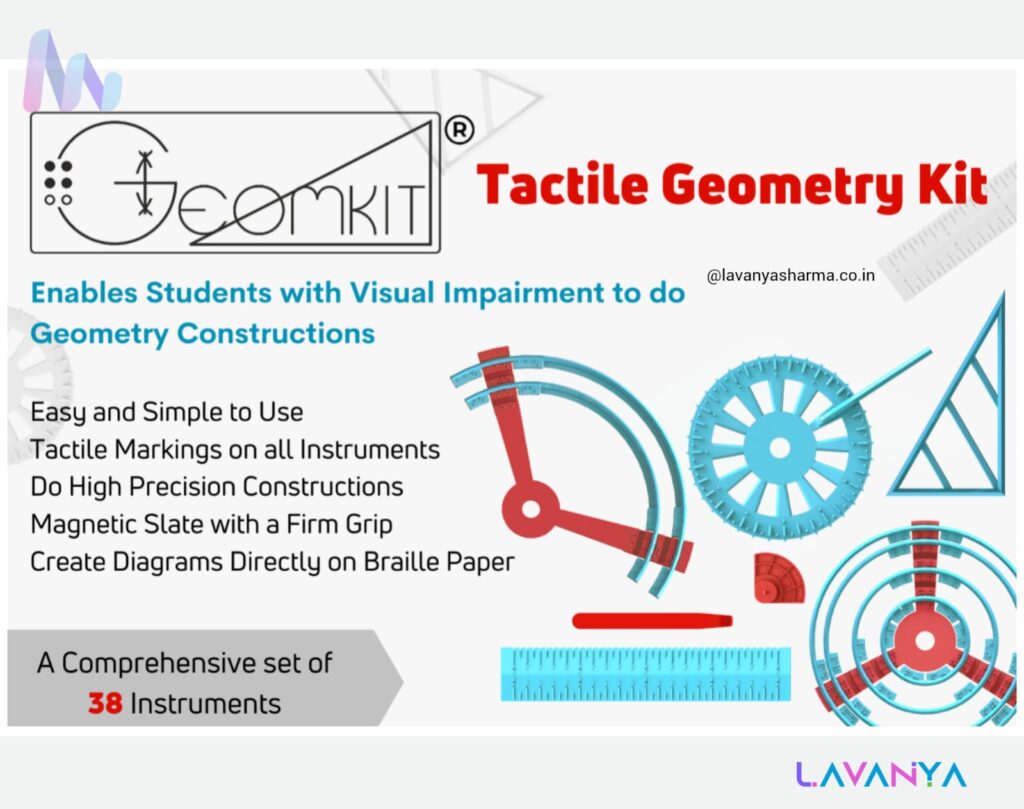
The tactile geometry kit by Raised Lines Foundation is a thoughtfully designed learning aid that enables students with visual impairment to independently understand and perform geometrical constructions through touch. The kit includes tactile versions of essential instruments such as rulers, compasses, protractors, set squares, and circular templates, all equipped with raised markings and textured edges for accurate tactile feedback. Many kits are supported by a magnetic or firm base, allowing instruments to stay in place while working, and diagrams can be created directly on Braille or tactile paper. This kit helps learners grasp concepts like angles, shapes, circles, symmetry, and measurements, making geometry accessible, precise, and inclusive. By transforming abstract visual concepts into concrete tactile experiences, the tactile geometry kit builds concept clarity, confidence, and academic independence for CWVI in mathematics classrooms.
Tactile Educational Aids
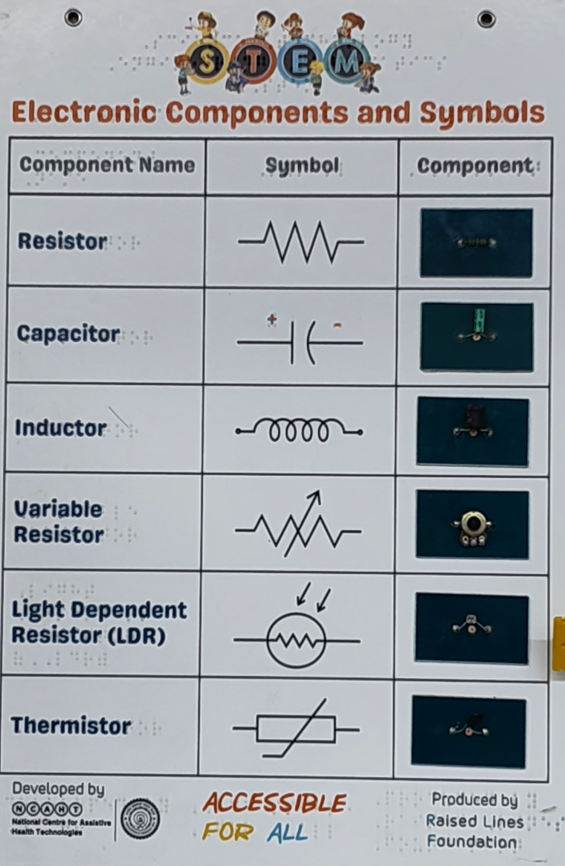
The Electronic Components and Symbols learning aid by Raised Lines Foundation is an inclusive STEM resource designed to help students with visual impairment understand basic electronics through touch. The chart presents commonly used components such as resistors, capacitors, inductors, variable resistors, LDRs, and thermistors, with raised tactile symbols, Braille labels, and real mounted components for hands-on exploration. By allowing learners to feel both the circuit symbols and the actual components side by side, it bridges the gap between theory and practical understanding. This tactile approach supports concept clarity, independent learning, and confidence in electronics, making abstract electrical concepts accessible and meaningful for visually impaired learners in classrooms and labs.
Tactile Books
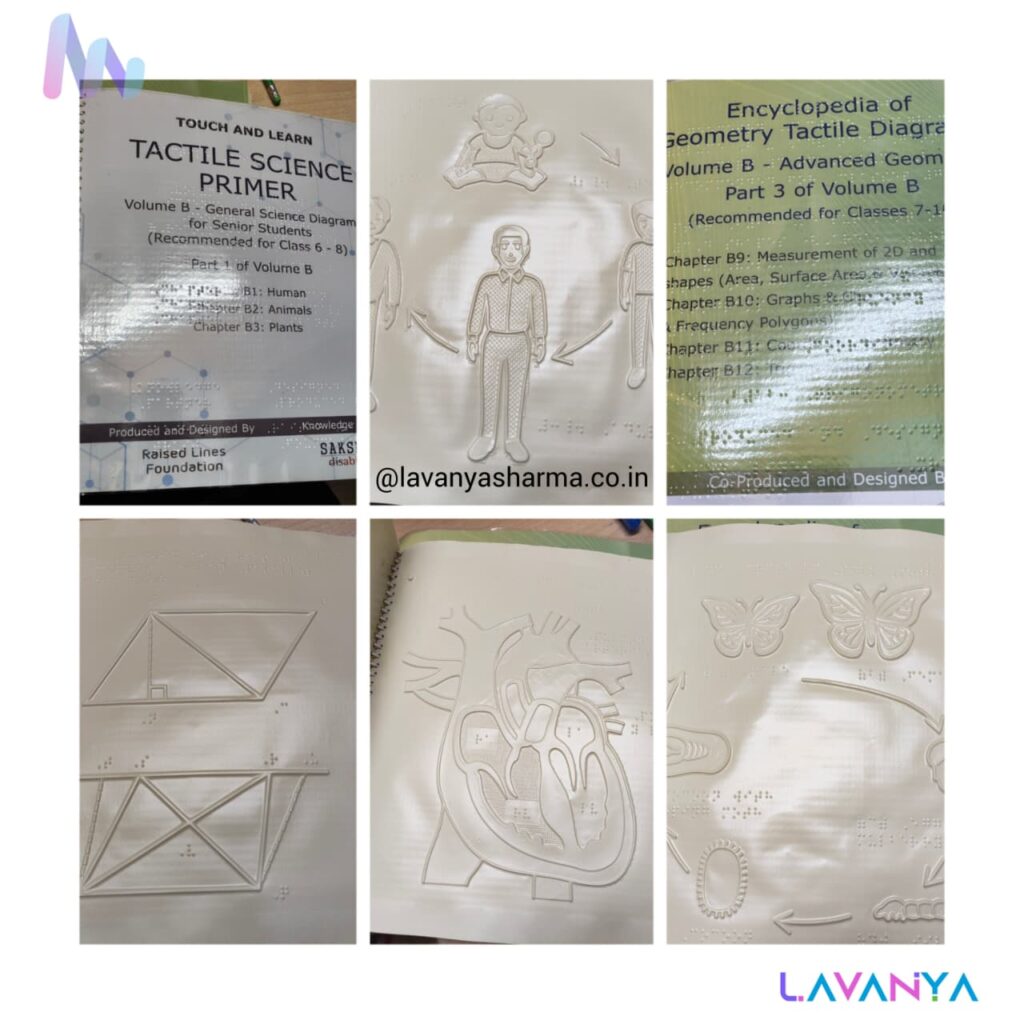
These are tactile books developed as accessible learning resources for children with visual impairment, produced and designed by the Raised Lines Foundation with Saksham Disability as the knowledge partner. The books use raised-line diagrams, tactile illustrations, and Braille labels to help learners understand abstract concepts in science, mathematics, geometry, and biology through touch. By converting visual information into tactile form, these books support concept clarity, independent exploration, and multisensory learning, making complex academic content meaningful and inclusive for CwVI across different grade levels.
Taylor Frame
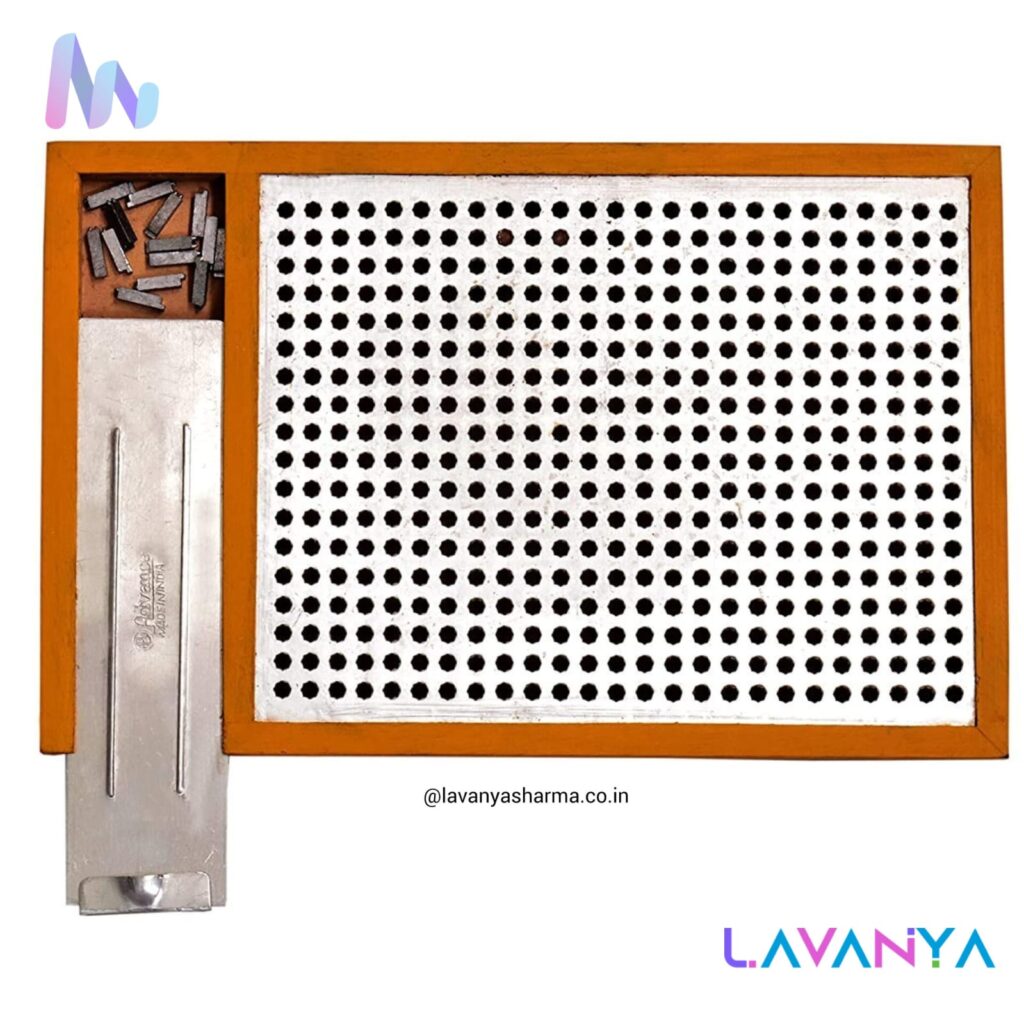
A Taylor Frame (also known as Taylor’s Mathematical Frame) is a specialized educational assistive tool designed to help blind and visually impaired students perform mathematical calculations such as arithmetic, algebra, and number operations. It acts as a tactile alternative to pen-and-paper or chalkboards, enabling learners to construct numbers, equations, and mathematical expressions through touch-based manipulation. By physically placing and arranging symbols on the frame, students can explore concepts step by step, promoting independent learning, conceptual understanding, accuracy, and confidence in mathematics without relying on visual input.
Magnetic Pad
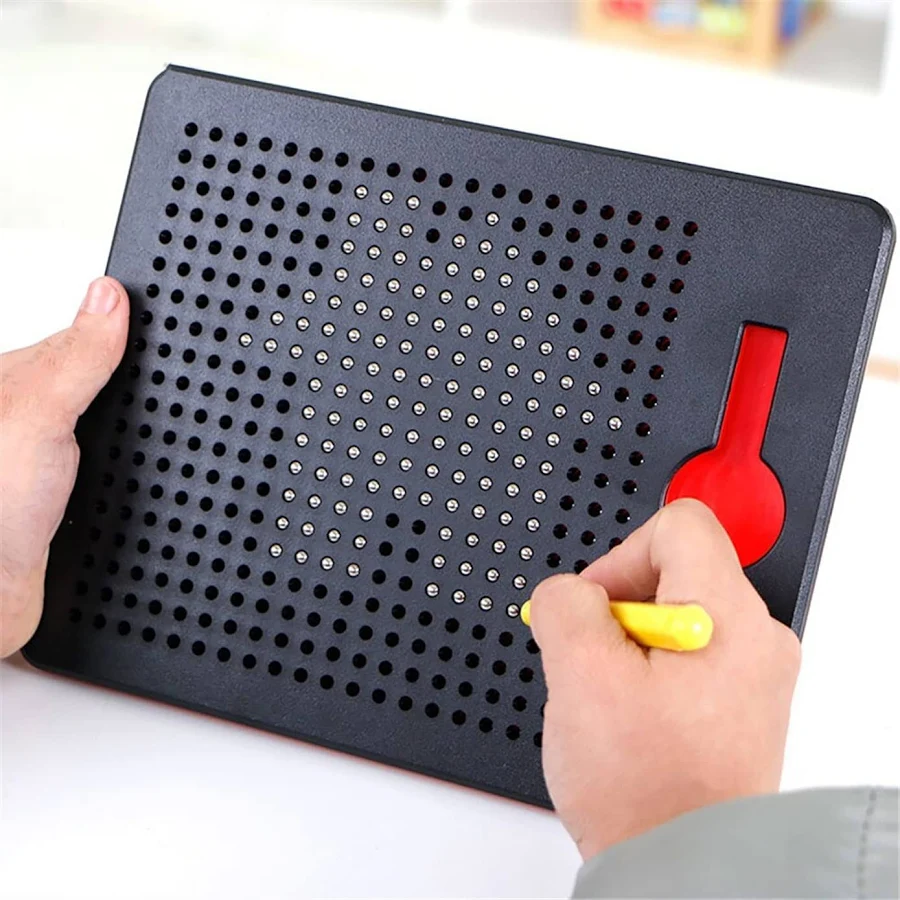
This is a tactile drawing board, also commonly called a sensory peg board or tactile sketch board. It is an assistive learning tool used by children with visual impairment to create pictures, patterns, shapes, graphs, or diagrams using raised dots. With the help of a stylus, the user presses into the grid of holes, making dots pop up so the drawing can be explored through touch. It is widely used for pre-Braille skills, concept development, geometry, spatial awareness, fine motor skills, and creative expression, allowing learners to draw, revise, and understand visual concepts in a fully tactile way.
Geo-board
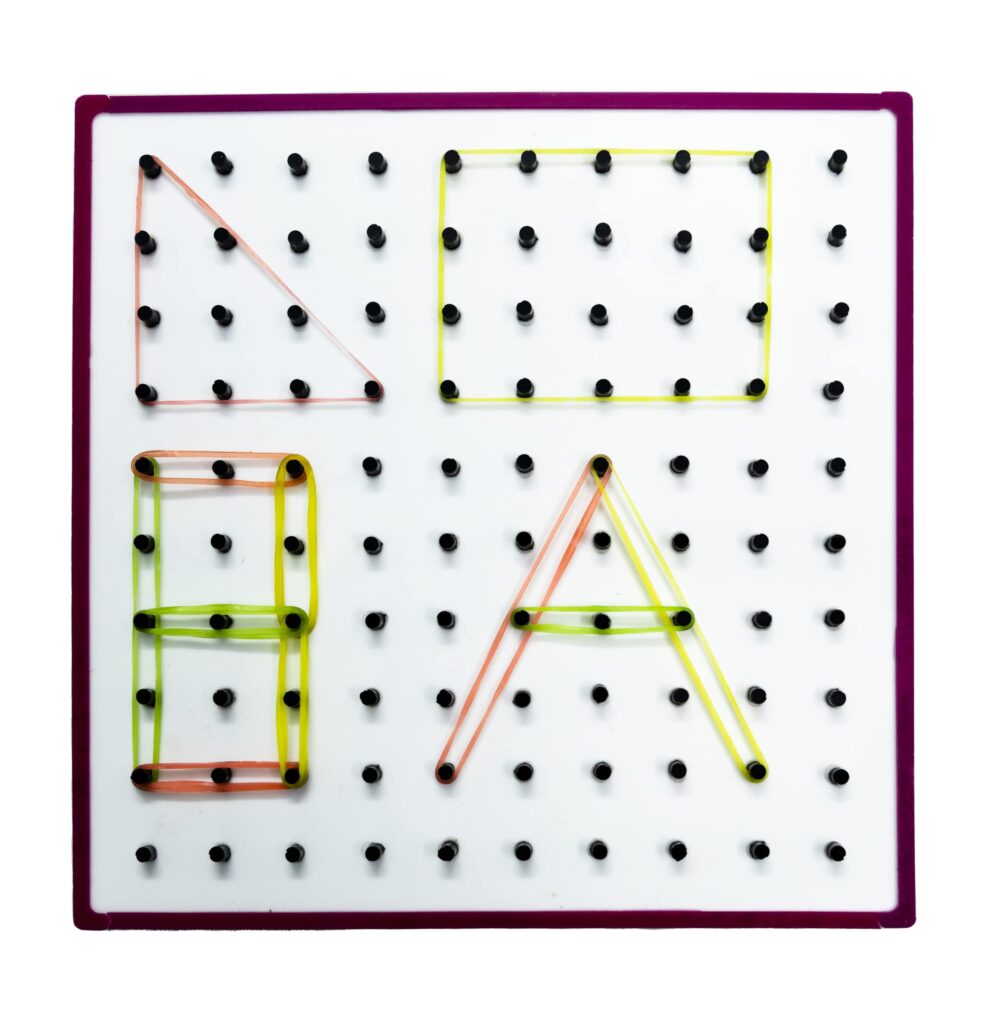
Geoboard, an excellent tactile and multisensory learning tool for children with visual impairment (CwVI). It consists of a grid of raised pegs on which learners stretch rubber bands to form shapes, letters, angles, and geometric patterns. For CwVI, the geoboard provides clear tactile feedback, allowing them to explore concepts like lines, triangles, squares, symmetry, area, perimeter, fractions, and spatial relationships through touch. It also supports pre-geometry skills, fine-motor development, hand–eye coordination (through touch), and concept formation, making abstract mathematical ideas concrete and accessible.
Tactile Braille Plate
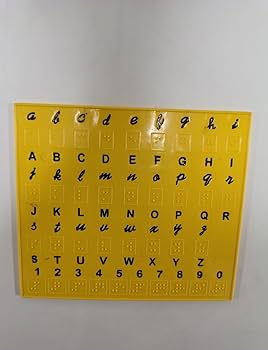
An English Braille Plate (often called an English Braille Chart/Slate/Plate) is a tactile learning aid used to teach and practice English Braille alphabets, numbers, and basic symbols for children with visual impairment. It displays raised Braille cells arranged systematically so learners can feel, identify, and memorize dot patterns corresponding to letters (a–z), punctuation, and contractions (as per Grade 1 English Braille). This plate is especially useful for early Braille literacy, helping children develop tactile discrimination, finger sensitivity, correct dot orientation, and reading readiness, and it is widely used in special schools, resource rooms, and inclusive classrooms.
Accessible Workplace
An Accessible Workplace refers to a work environment that is designed or modified to ensure equal participation, safety, and independence for persons with disabilities, including individuals with visual impairment. It includes features such as tactile floor indicators, screen readers and magnification software, Braille and audio signage, accessible documents, ergonomic furniture, assistive technologies, and inclusive communication practices. An accessible workplace removes physical, digital, and attitudinal barriers, enabling employees to perform tasks efficiently, collaborate confidently, and grow professionally, while promoting dignity, productivity, and true inclusion.
Magnifiers
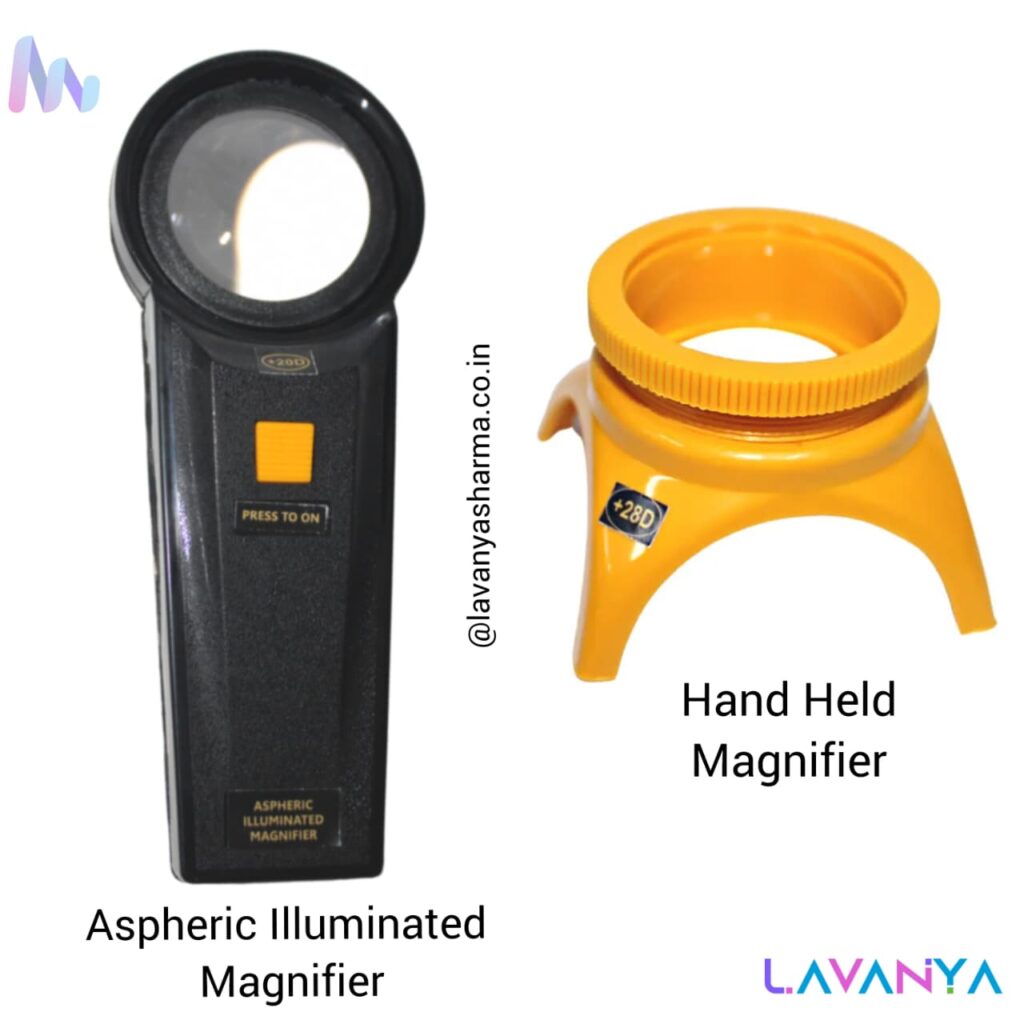
An aspheric illuminated magnifier is a low-vision aid that uses a specially designed aspheric lens to provide clear, distortion-free magnification across the entire viewing area, combined with built-in LED illumination to enhance contrast and visibility in low-light conditions. It is especially helpful for reading small print, viewing images, and detailed tasks for individuals with low vision.
A hand-held magnifier, on the other hand, is a simple, portable optical aid with a standard convex lens that offers basic magnification and is easy to use for quick reading or spotting tasks. While hand-held magnifiers are lightweight and convenient, aspheric illuminated magnifiers offer superior optical quality, better contrast, and reduced eye strain, making them more suitable for prolonged use and precision work.
High Definition Glass Face
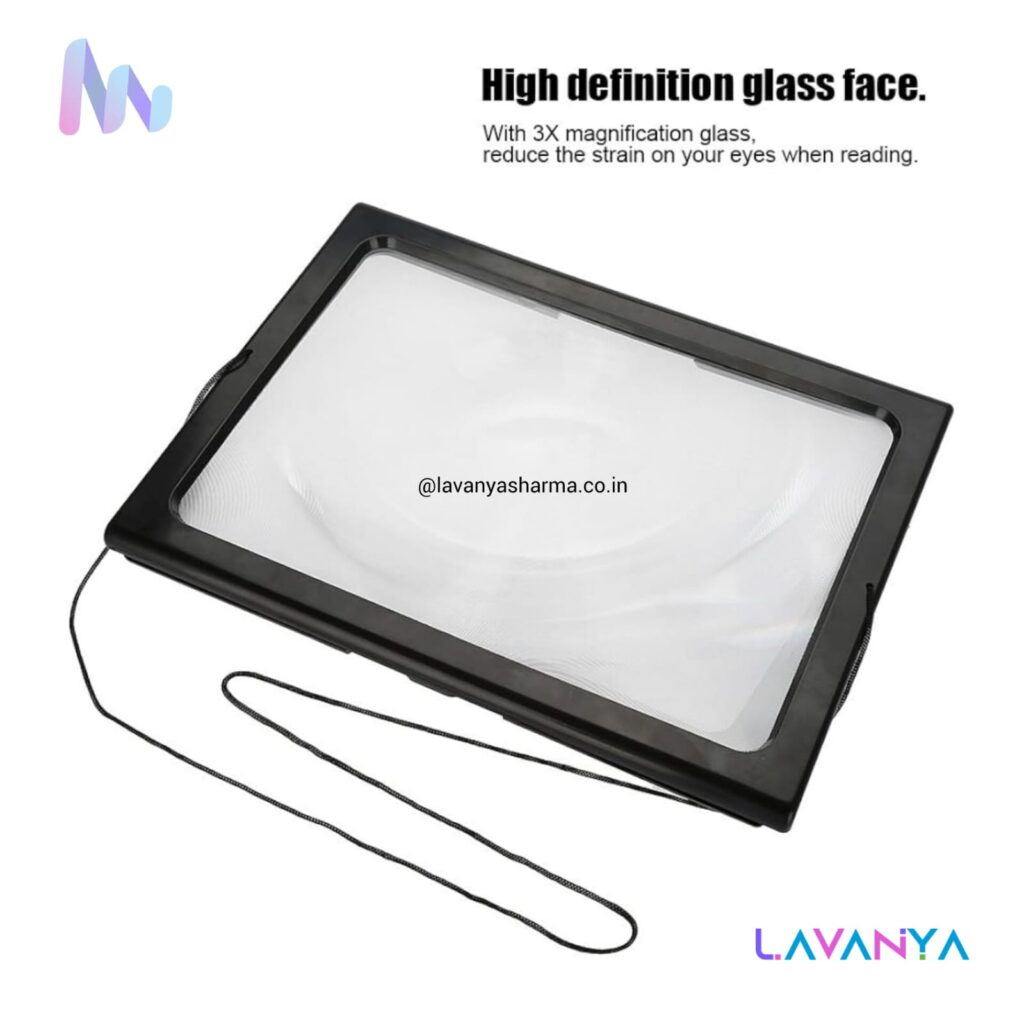
A high-definition glass face refers to a premium-quality optical glass surface used in magnifiers and low-vision devices that delivers sharp, clear, and distortion-free images. Unlike plastic lenses, HD glass faces provide better light transmission, higher contrast, and accurate color representation, which reduces visual fatigue and improves readability. They are especially beneficial for people with low vision, as the clarity helps in tasks like reading small print, identifying details, and prolonged visual work, while also being more scratch-resistant and durable for long-term use.
URead Book Reader
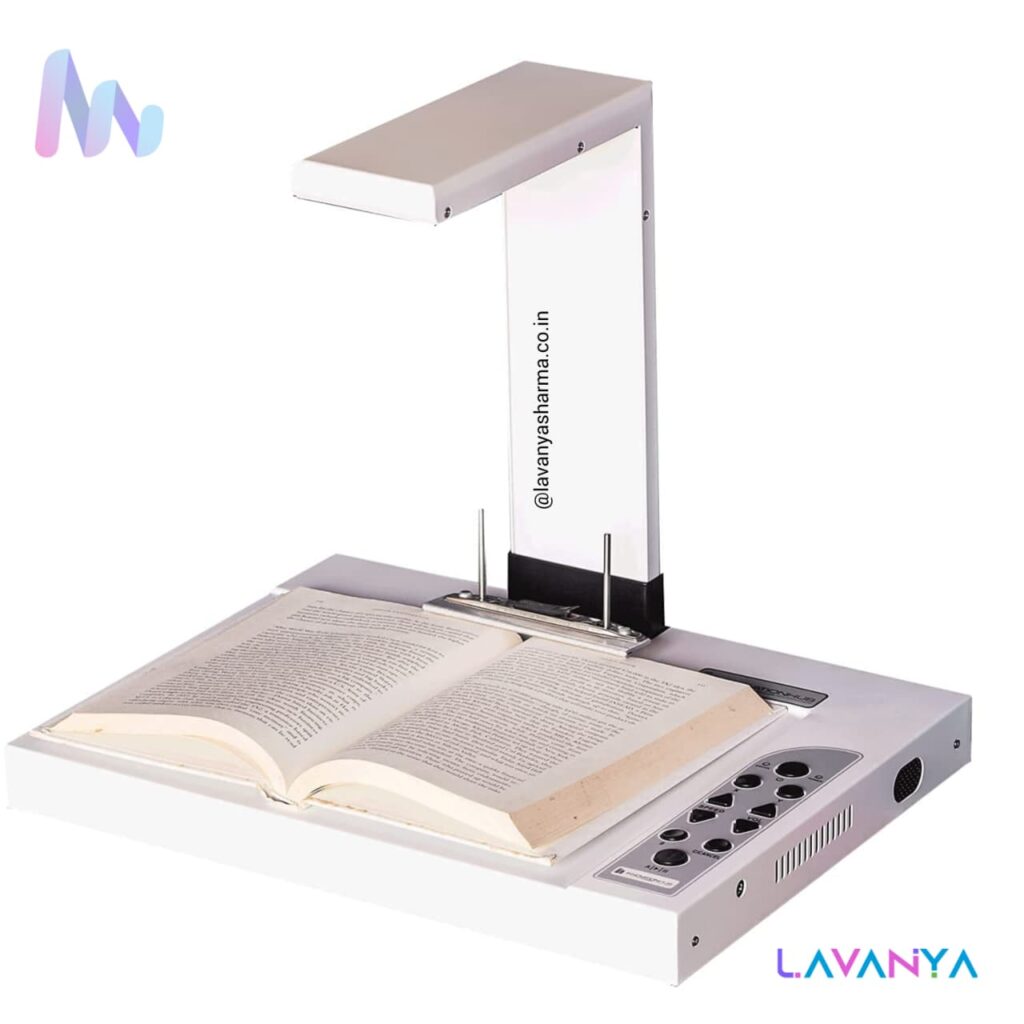
The URead Book Reader is an assistive reading device designed to support people with low vision by making printed text easier to read. It works by placing the book or document under a built-in camera that displays the text on a screen with high magnification, enhanced contrast, and adjustable color modes. Users can change font size, brightness, and background (such as white-on-black or yellow-on-black) according to their visual comfort. The URead Book Reader helps reduce eye strain and enables independent reading of textbooks, newspapers, worksheets, and documents, making it especially useful in inclusive classrooms, libraries, and home study settings.
Orbit Reader & Writer
The Orbit Reader is a compact refreshable Braille display that connects to computers, smartphones, or tablets. It shows text as Braille characters on a series of electronic cells that raise and lower tiny pins to form Braille dots. Users can read books, documents, emails, and educational materials in real time. Because it’s portable and efficient, the Orbit Reader helps learners and professionals access digital information independently.
The Orbit Writer combines the functions of a refreshable Braille display and a Braille keyboard. This means users can not only read Braille text but also type and create content—such as notes, messages, and documents—directly using the built-in Braille keyboard. It works with computers and mobile devices, supporting independent writing, editing, and learning.
Why These Devices Matter for CWVI
- They allow real-time access to digital content in Braille.
- They support both reading (input from device) and writing (output by user).
- They are portable and user-friendly, ideal for students, educators, and professionals.
- They promote digital independence, making learning, communication, and productivity more inclusive.
Talking Calculator
A talking calculator is a handheld assistive device designed for people with visual impairment or low vision. Unlike regular calculators, a talking calculator speaks aloud every number and operation (such as plus, minus, equals) as the user presses the keys and announces the final result. This auditory feedback allows a user to perform basic arithmetic—addition, subtraction, multiplication, and division— independently without needing to see the display. Many talking calculators also have large, tactile buttons and adjustable speech volume or speed to make them even easier to use. They are especially helpful in classrooms, exams, and everyday life for building confidence, accuracy, and independence in numerical tasks.
CCTV Desktop Magnifier
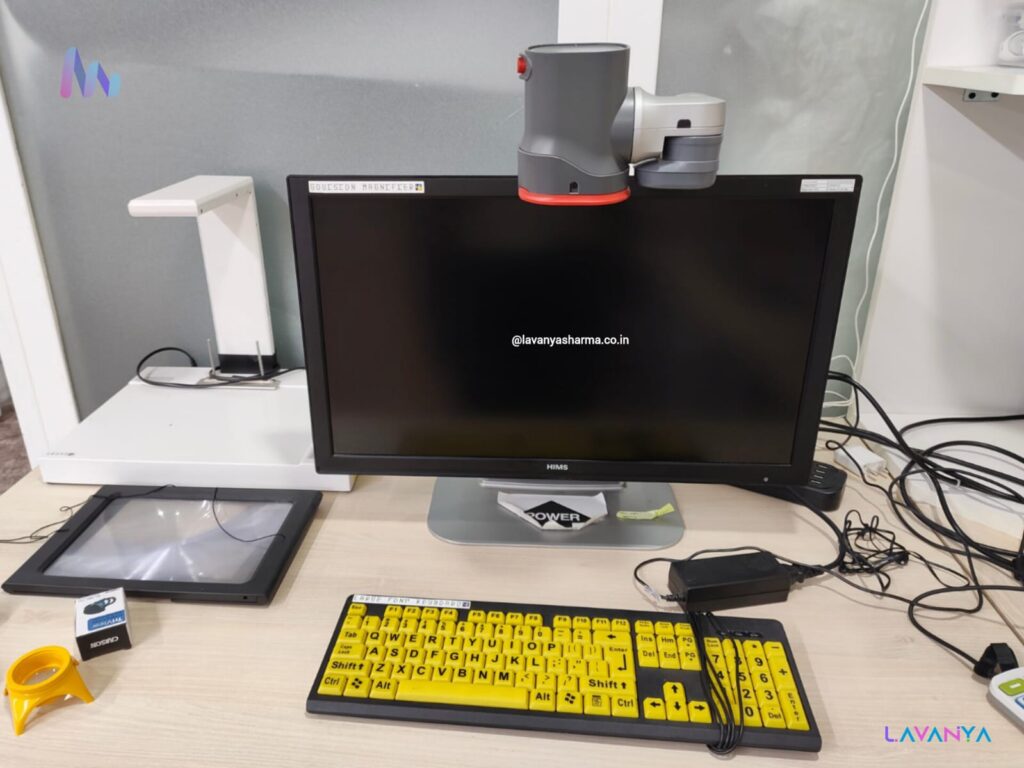
The image shows a specialized computer setup designed for users with low vision or visual impairments. The primary “tool” here is a CCTV Desktop Magnifier (specifically a GoVision Magnifier system).
- GoVision Magnifier: The grey camera unit mounted on top of the monitor. This is a high-definition video magnifier that can capture text from books (downward-facing) or a distance (room-facing) and display it on the screen with adjustable contrast and magnification.
- Large Print Keyboard: The yellow and black keyboard is designed with high-contrast, oversized lettering to make it easier for people with low vision to identify keys.
- Fresnel Magnifier: The thin, flat sheet in the black frame (bottom left) is a portable magnifying lens often used for reading printed material.
- HIMS Monitor: HIMS is a well-known brand that produces assistive technology for the blind and visually impaired.
This entire station acts as a Digital Vision Workstation, allowing a user to read, write, and use a computer by significantly enhancing the visual input.
Accessible Daily-Living Tools
Accessible daily-living tools are specially designed or adapted devices that help individuals with disabilities—including those with visual impairment—perform everyday tasks independently, safely, and comfortably. These tools focus on the activities we do regularly, such as cooking, personal care, household chores, time management, mobility, and routine planning. Because people with visual impairment may not rely primarily on sight, accessible daily-living tools use tactile, auditory, high-contrast, or ergonomic features to make objects easier to locate, identify, and use.
Examples of accessible daily-living tools include:
- Talking thermometers for checking temperature independently
- Liquid level indicators that beep when a cup is full
- Tactile measuring spoons and cups for cooking
- Braille or tactile labels on containers and appliances
- Audio clocks and watches for time awareness
- Shoe and clothing organizers with tactile markers
- Adaptive grooming and hygiene aids
These tools promote confidence, autonomy, and quality of life by reducing dependence on others for routine activities. In special and inclusive education, daily-living tools are often introduced as part of functional living skills training, helping learners with visual impairment build practical competence that extends beyond academics into real-world independence.
Anti-Spill Cup
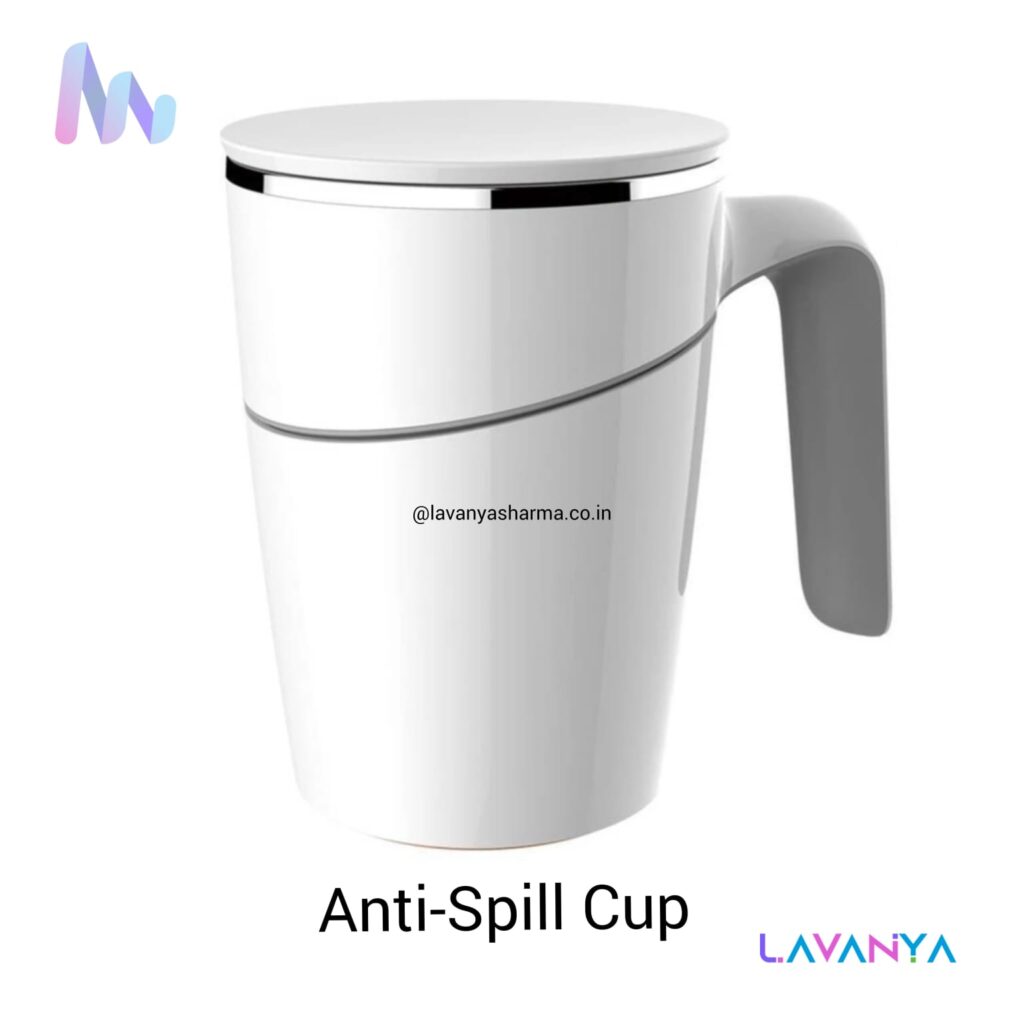
An anti-spill cup is a specially designed drinking cup that helps prevent liquids from spilling, making it easier and safer for children and individuals with visual impairment to drink independently. These cups usually have features such as a spill-proof lid, controlled flow spout, weighted base, and soft handles, which reduce the chance of tipping or accidental messes. For learners with low vision or sensory challenges, the anti-spill design allows them to focus on the act of drinking without worrying about orientation or accidental spills. This promotes confidence, self-reliance, and dignity in daily living activities, and is an important tool in teaching functional life skills in both school and home settings.
Talking Measuring Jar
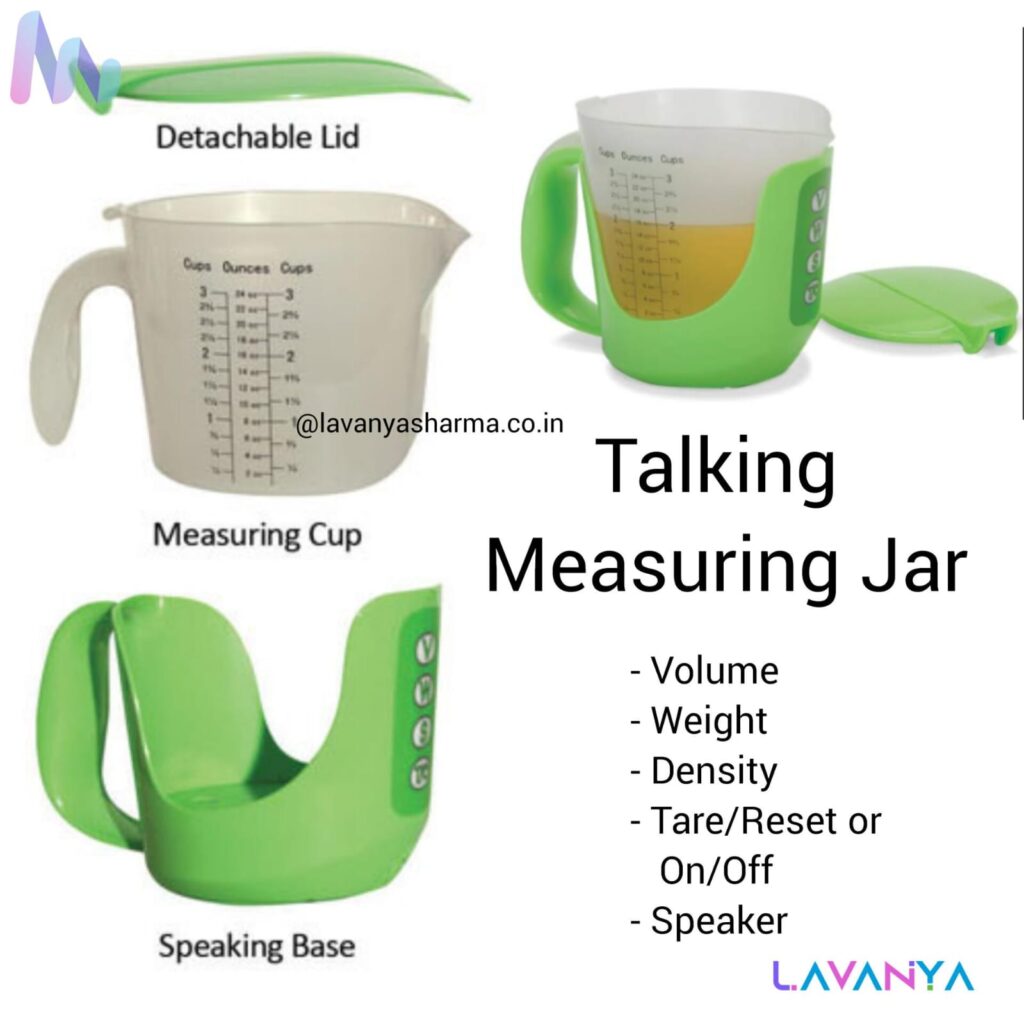
A talking measuring jar is an assistive daily-living tool designed to help individuals with visual impairment measure liquids independently and accurately. Instead of displaying measurements visually, the jar announces the volume audibly—telling you how much liquid has been poured or what level the liquid has reached. This feature is especially useful for tasks like cooking, medicine dosing, feeding, or any activity that requires precise measurement of liquids.
Talking measuring jars usually have:
- Audio feedback of measurements (e.g., “100 ml,” “250 ml”)
- Easy-to-hear volume announcements
- Tactile markers and ergonomic handles
- Clear graduated levels felt by touch
For children and adults with low vision, this tool promotes accuracy, confidence, and independence in everyday activities. It’s widely used in inclusive classrooms, life-skills training, and at home to support functional living and self-reliance.
Cup Holder
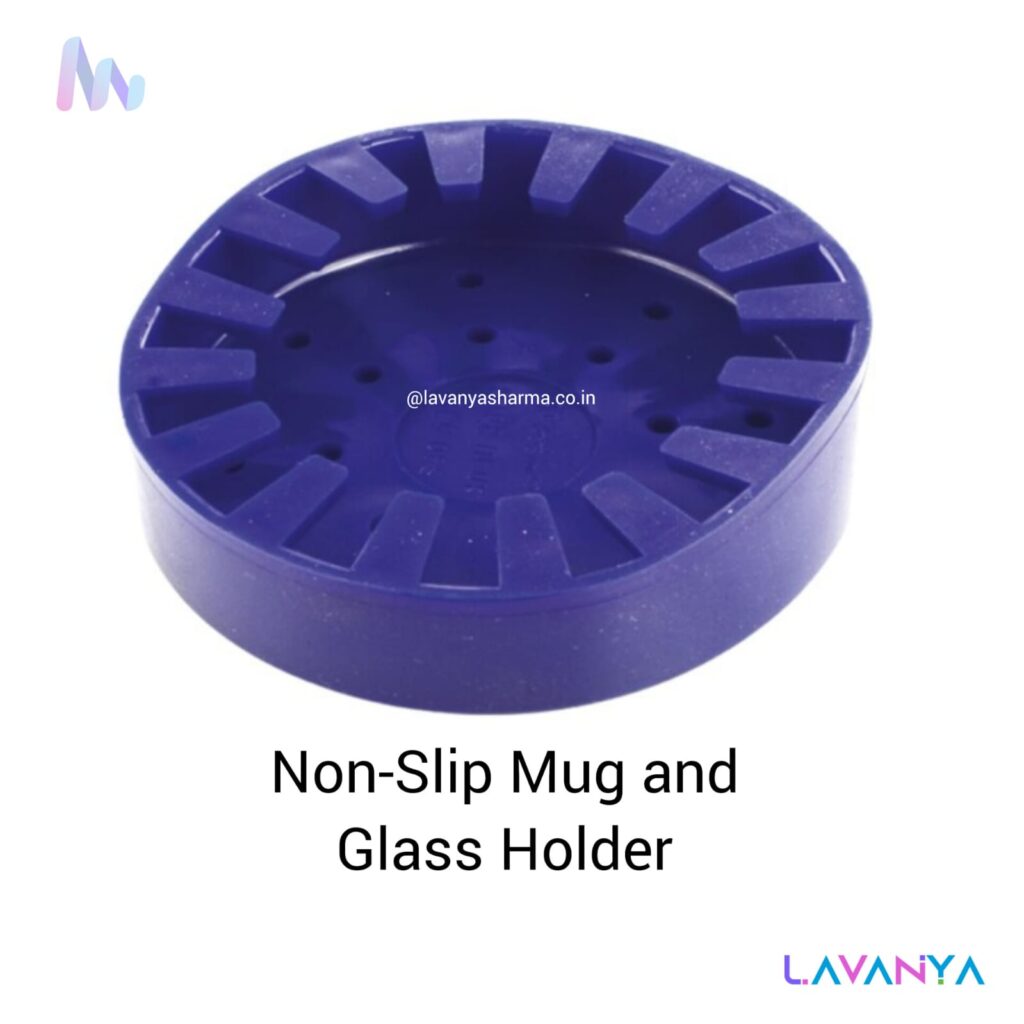
A cup holder is a simple but very useful daily-living assistive tool that helps individuals—especially those with visual impairment or physical coordination challenges—keep a cup secure, upright, and easy to access without spilling. It provides a stable base or supportive frame where a cup or glass can rest firmly, reducing the risk of accidental tipping while drinking or carrying liquids.
For children and adults with visual impairment, a cup holder:
- prevents spills and messes
- allows safe self-feeding and drinking
- supports steady grasping and positioning
- builds confidence in everyday tasks
Cup holders can be used at tables, wheelchairs, desks, or beds, and are often included in functional living skills training to promote independence, safety, and comfort in daily routines.
Measuring Cup or Jars
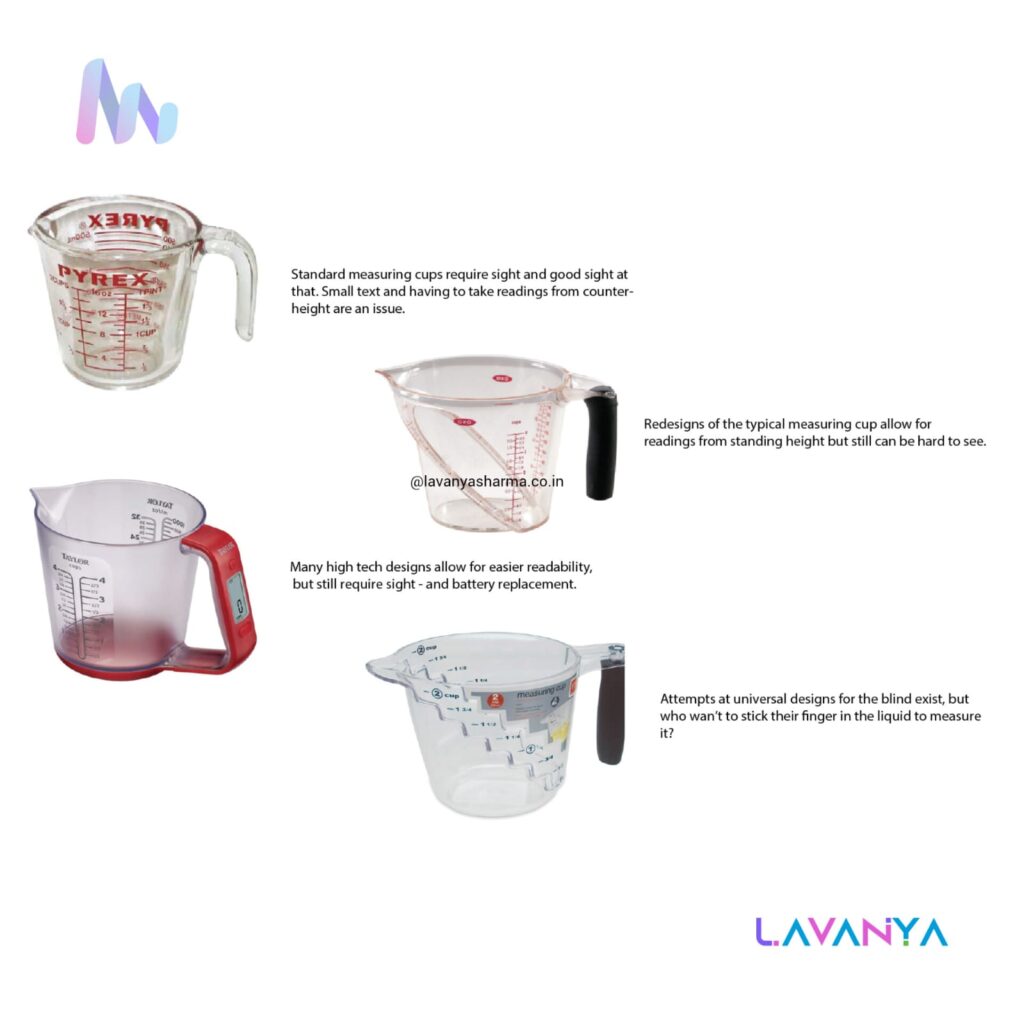
A measuring cup or Jars is a common daily-living tool used to measure specific amounts of liquids or dry ingredients, and when adapted thoughtfully, it becomes very helpful for individuals with visual impairment as well. These cups usually have clear measurement markings that indicate volume (such as milliliters or cups). For people with low vision, measuring cups may be adapted with:
- High-contrast markings that are easier to see
- Tactile bump or raised lines at key measurements
- Talking measurement features that announce volume audibly
- Ergonomic handles for steady grasping
An accessible measuring cup allows a person to measure exact amounts independently while cooking, mixing, or preparing food—promoting confidence, accuracy, and self-reliance in everyday kitchen tasks. In education and life-skills training, it’s often used to teach functional activities like cooking, baking, and safe handling of ingredients.
Eyedrop Dispensers
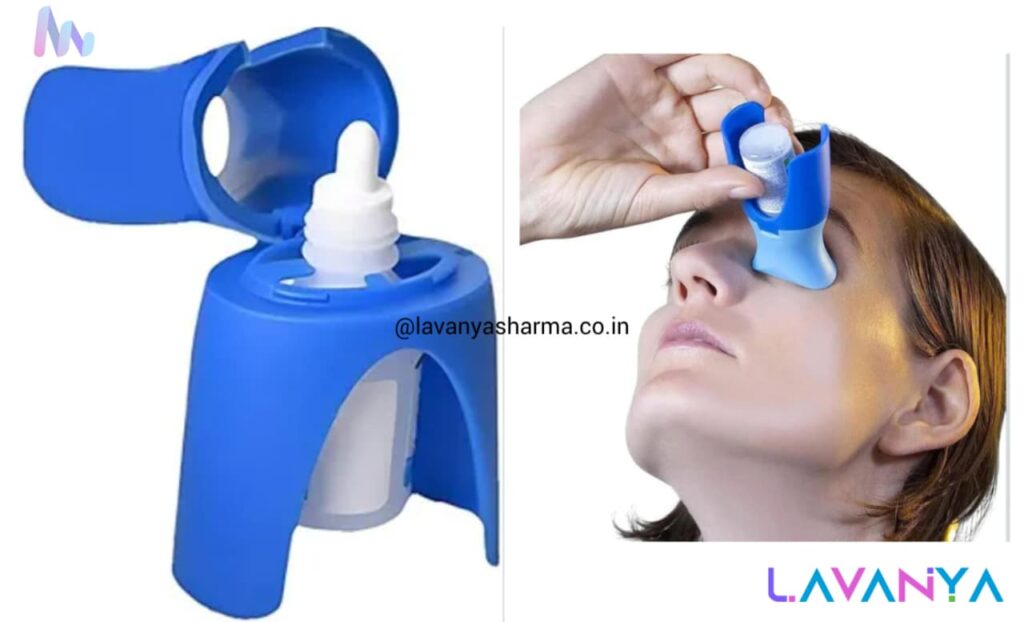
An eyedrop dispenser is an everyday assistive daily-living tool that helps individuals—including those with visual impairment or limited motor control—to administer eye drops safely, accurately, and independently. These dispensers are designed with features such as:
- Stabilized holding grips so the bottle doesn’t slip
- Guided nozzles or funnel tips to help align the drop correctly over the eye
- Controlled dispensing so only one drop is released at a time
- Tactile markers that help users locate the correct orientation by feel
For people with low vision or visual impairment, knowing exactly where to place the eyedropper and managing the drop without flinching can be challenging. An eyedrop dispenser increases precision, reduces the risk of irritation or injury, and supports confidence in self-care tasks. It’s especially useful in daily routines for maintaining eye health, administering medication, or completing personal care independently.
Talking Oximeter
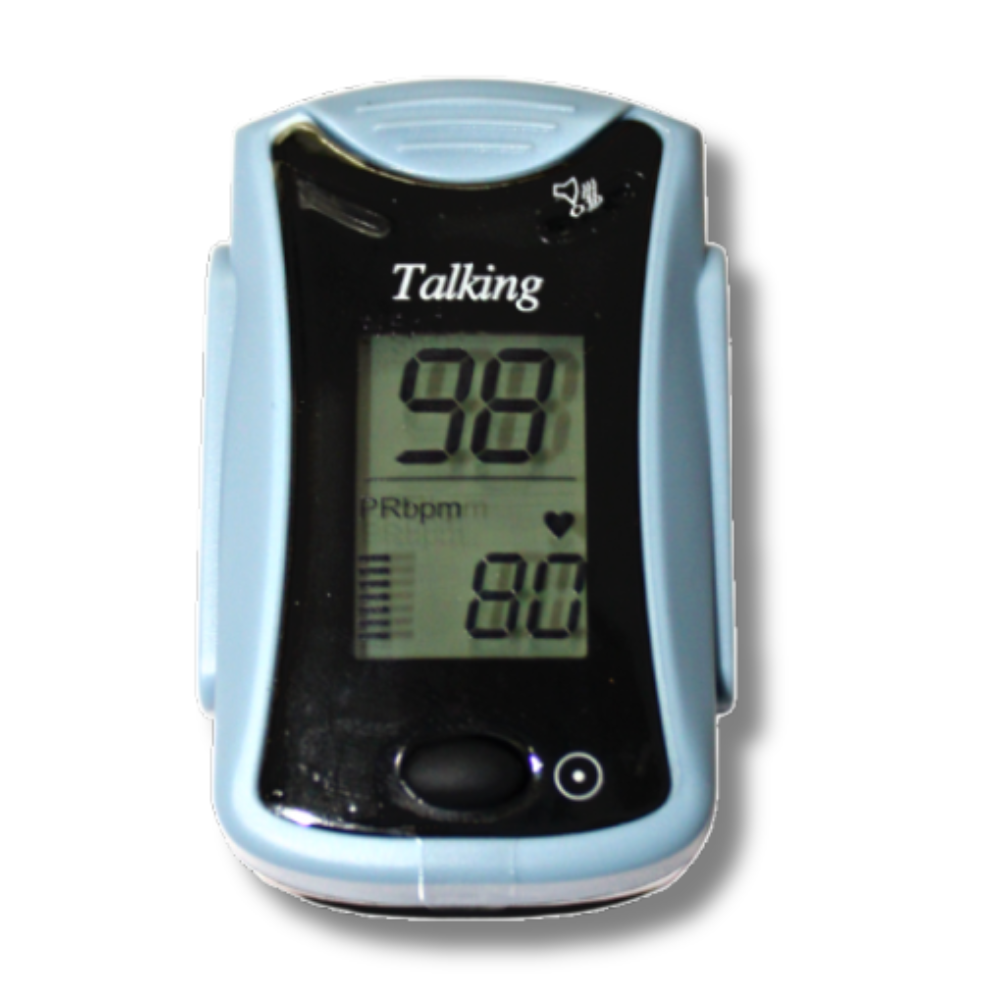
A talking oximeter is an assistive health device that measures a person’s blood oxygen saturation (SpO₂) and pulse rate, and then announces the readings verbally through a built-in speaker. Unlike standard oximeters that display results only on a visual screen, a talking oximeter speaks the results in clear audio, making it accessible for people with visual impairment or low vision. This allows users to independently check their important health values—especially when monitoring respiratory conditions, fitness, or during daily health routines—without needing someone to read the screen. By providing independent, accurate, and easy-to-understand feedback, talking oximeters support confidence, health awareness, and self-management in everyday life.
Talking Thermometer
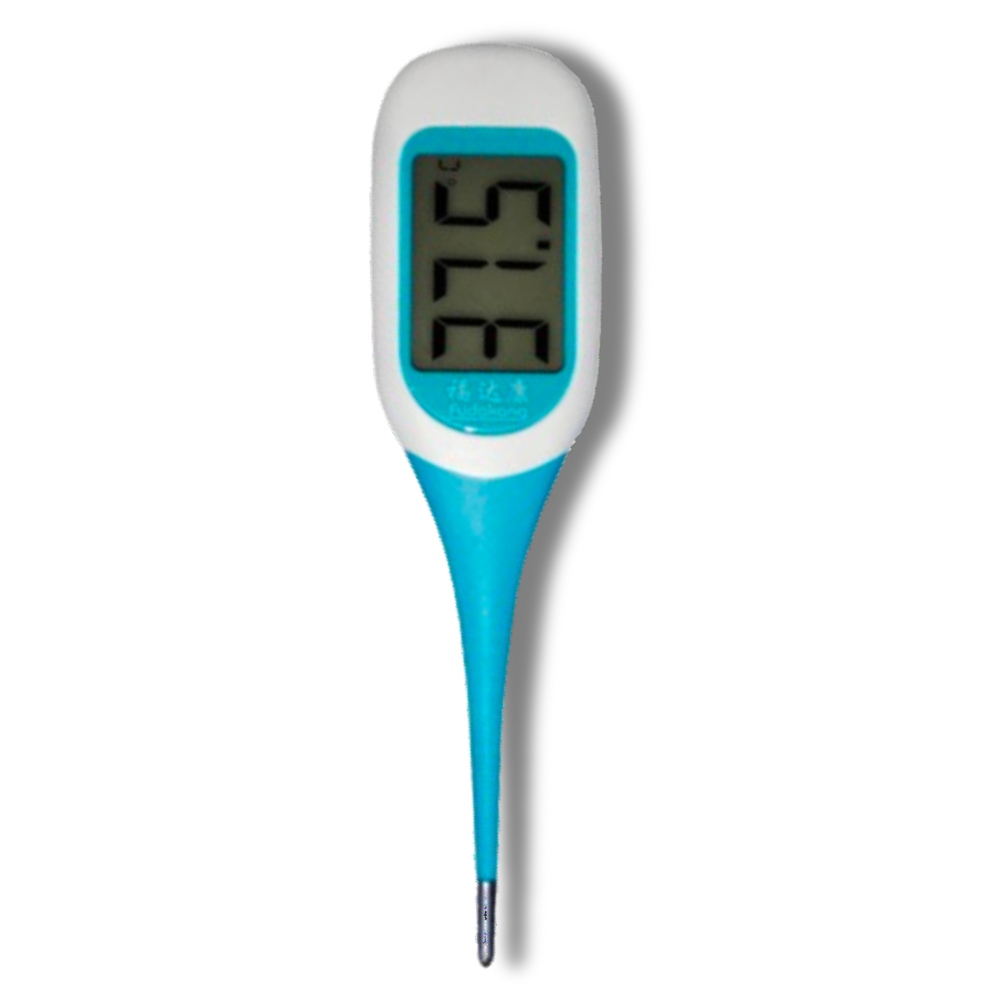
A talking thermometer is an assistive health device designed to make temperature measurement accessible for people with visual impairment or low vision. Unlike regular thermometers that rely on a visual display, this device speaks the temperature reading aloud in clear audio, so the user can know their body or environmental temperature without needing to see the screen.
Talking thermometers are especially useful for:
- Self-monitoring health (fever, illness, or wellness checks)
- Daily living routines at home or school
- Inclusive healthcare for CWVI
- Independent use by children, adults, and elderly users
With audible feedback, simple controls, and clear spoken results, talking thermometers help users stay informed, confident, and independent in managing health.
Talking Glucometer
A talking glucometer is an assistive health device designed to make blood glucose monitoring accessible and independent for people with visual impairment or low vision. Unlike standard glucometers that display readings on a screen, a talking glucometer announces the blood sugar level aloud through clear spoken output. This allows users to check their glucose levels without needing to read the display, which is especially helpful for daily diabetes management.
Talking glucometers typically include:
- Audio feedback of readings (e.g., “Blood glucose is 120 mg/dL”)
- Simple, tactile buttons for operation
- Voice prompts for steps (insert strip, apply blood, remove strip)
- Clear speech with adjustable volume
For individuals with visual impairment, the talking glucometer supports independent health monitoring, improves accuracy and confidence, and reduces reliance on others. It’s an essential tool for people who need regular glucose checks for diabetes care at home, school, or during daily routines.
Measuring Spoon
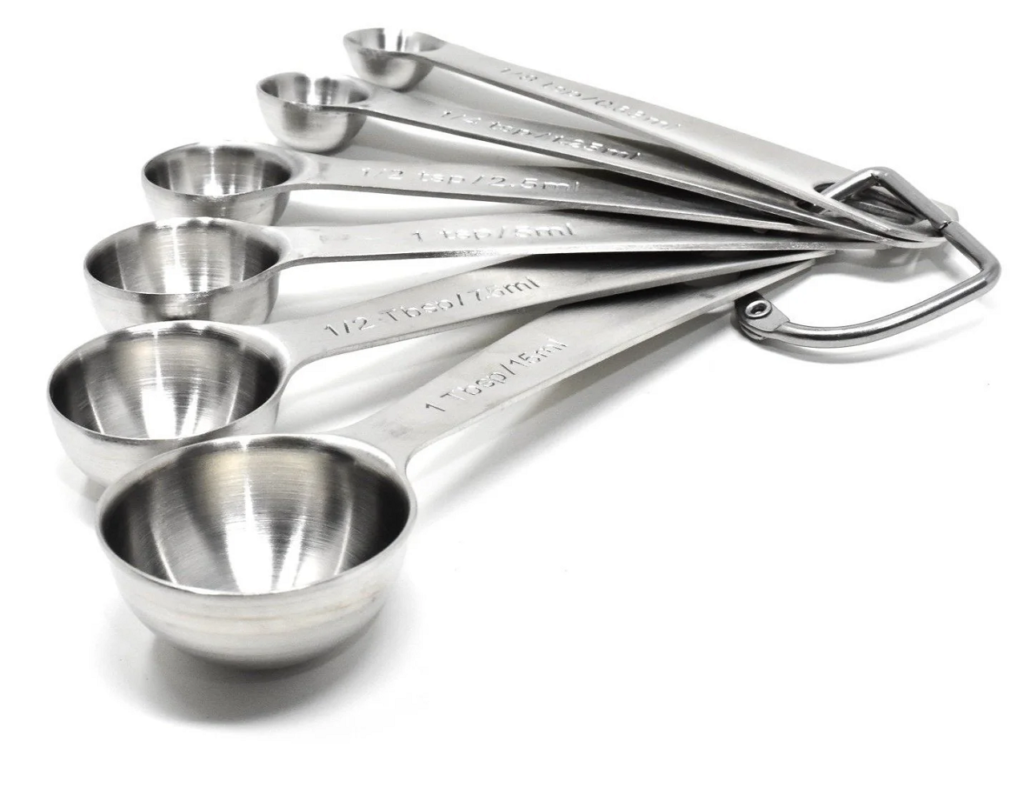
A measuring spoon is a kitchen measuring tool used to measure small quantities of ingredients, usually liquids or powders, accurately.
In an accessible / inclusive context (especially for persons with visual impairment), measuring spoons may have:
- Raised markings or Braille labels (½ tsp, 1 tsp, 1 tbsp)
- High-contrast colors for low vision
- Standardized sizes to ensure accuracy by touch
- Deep bowls to reduce spillage
Why it’s important:
Measuring spoons help maintain correct proportions in cooking, baking, and medicine preparation, supporting independent daily living and safety.
Common sizes include:
- ¼ teaspoon
- ½ teaspoon
- 1 teaspoon
- 1 tablespoon
Google Glass
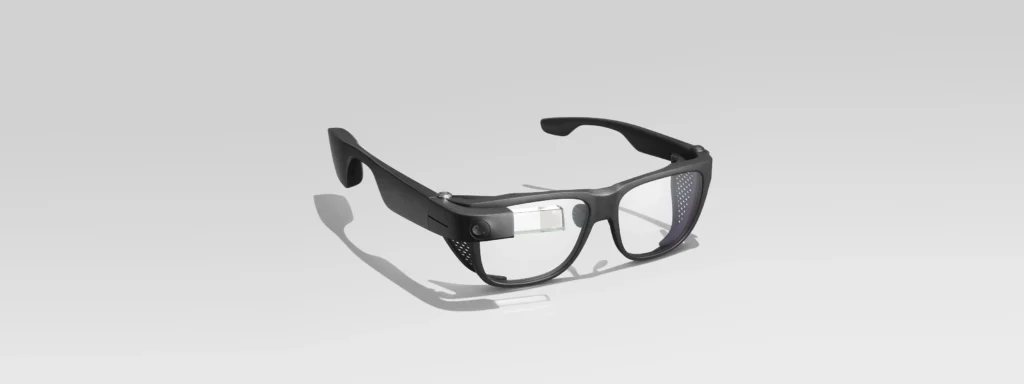
The Google Glass Enterprise Edition 2, paired with Smith Optics safety frames, is a cutting-edge wearable designed for industrial and professional use. Unlike consumer AR devices, it enables hands-free workflows, remote collaboration, and real-time access to instructions while ensuring eye protection in demanding environments. Equipped with an 8 MP camera, Qualcomm Snapdragon XR1 processor, and a 640×360 optical display, it delivers lightweight, durable performance, while the Smith Optics frames provide robust safety, meeting industrial standards. Ideal for manufacturing, maintenance, healthcare, and field services, this combination allows workers to stay productive and safe, integrating augmented reality seamlessly into daily tasks.
Talking & Tactile Watch
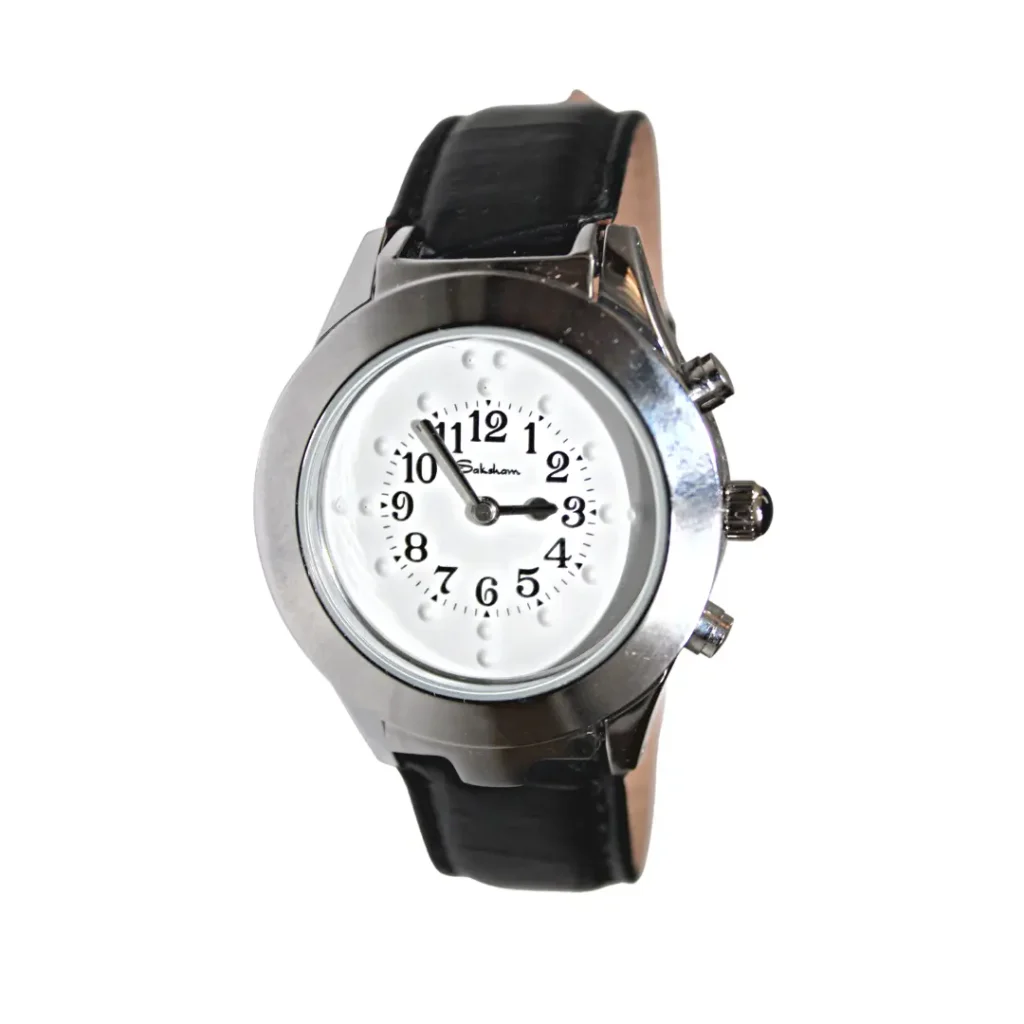
A Talking & Tactile Watch is an accessible timepiece designed specifically for people with visual impairments or low vision, combining both audio (talking) and physical (tactile) feedback to tell the time. With a simple press of a button, the watch speaks the current time aloud, while raised tactile markers or movable hands allow users to feel the time with their fingers, offering independence without needing to rely on sight. These watches are usually robust, easy to use, and tailored for daily life—whether someone is reading time in the dark, multitasking, or navigating independently—making them an essential assistive device that blends practicality with inclusive design.
Talking Tape Measure
A talking tape measure is an assistive measuring tool designed for people with visual impairments or low vision that announces measurement readings out loud as you extend the tape. Instead of relying on seeing tiny printed numbers, users can simply pull out the tape and listen to the spoken measurement, making it far easier to measure lengths, widths, and distances independently. These devices often include features like metric/imperial conversion, memory recall of last measurement, and auto‑voice at set intervals, helping in everyday tasks—from DIY projects and crafting to professional work—without needing visual reference to the tape markings.
Audio Labeller Labels (Washable) Round
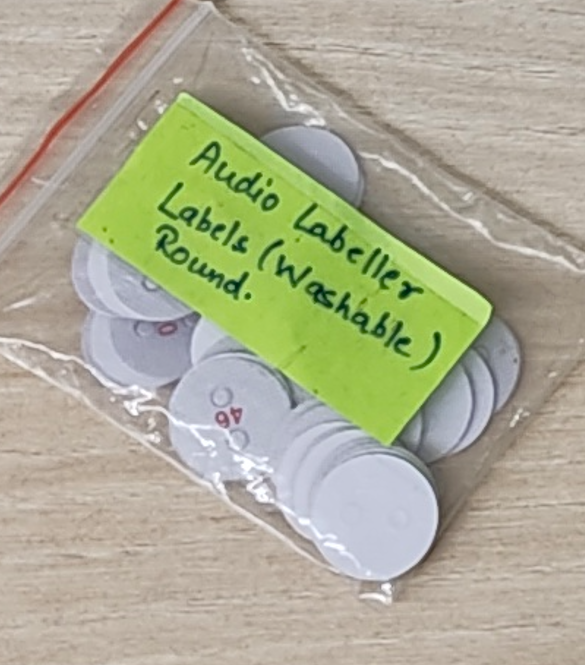
Audio Labeler Labels (Washable) – Round are specially designed talking/washable tactile labels that help people with visual impairments or low vision identify items independently. These round labels can be attached to everyday objects (like kitchen containers, clothing, appliances, or personal items), and when scanned with a compatible audio labeler device, they play back a custom recorded message (such as “Sugar,” “Shirts,” or “Medicine”). The washable design means the labels stay intact even through cleaning or frequent handling, making them practical for long‑term use around the home or workplace. This combination of audio feedback and durable labeling empowers users to organize and identify their belongings confidently and efficiently.
Nail Cutter
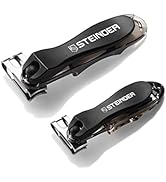
The Steinder 360° Rotation Nail Clipper is an accessible and ergonomic grooming tool designed to make nail care safer and easier for people with visual impairments. Its rotating head and comfortable grip allow users to cut both fingernails and thicker toenails with precision, reducing the risk of slips or cuts. The design also helps control nail clippings, keeping the process tidy and manageable. With its tactile-friendly shape and smooth operation, this clipper gives visually impaired individuals more independence and confidence in personal grooming, making nail care simpler, safer, and more comfortable.
Braille Labeller
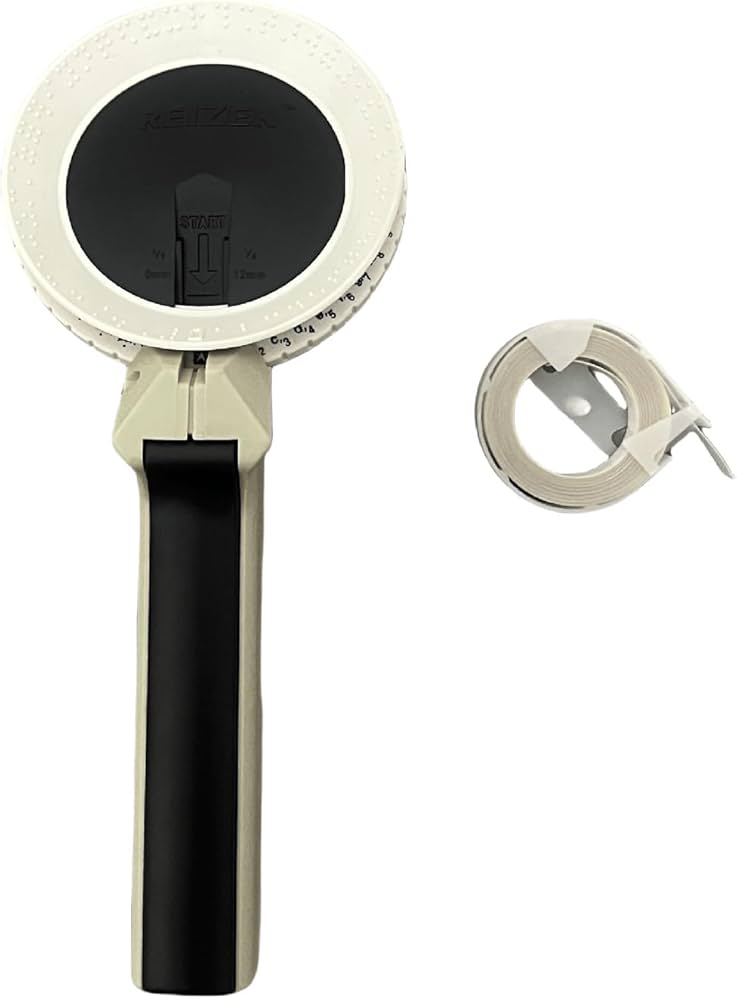
A Braille labeller is an assistive device that allows people who are blind or have low vision to create Braille labels independently, helping them organize and identify items around their home, workplace, or classroom. With a simple mechanical or electronic interface, users can emboss or print Braille characters onto durable tapes or stickers, making it easy to label everything from spice jars and files to clothing and personal items. By providing tactile labeling that can be felt with the fingertips, a Braille labeller empowers visually impaired individuals to stay organized, find what they need quickly, and navigate daily tasks with confidence and independence.
Video Doorbell
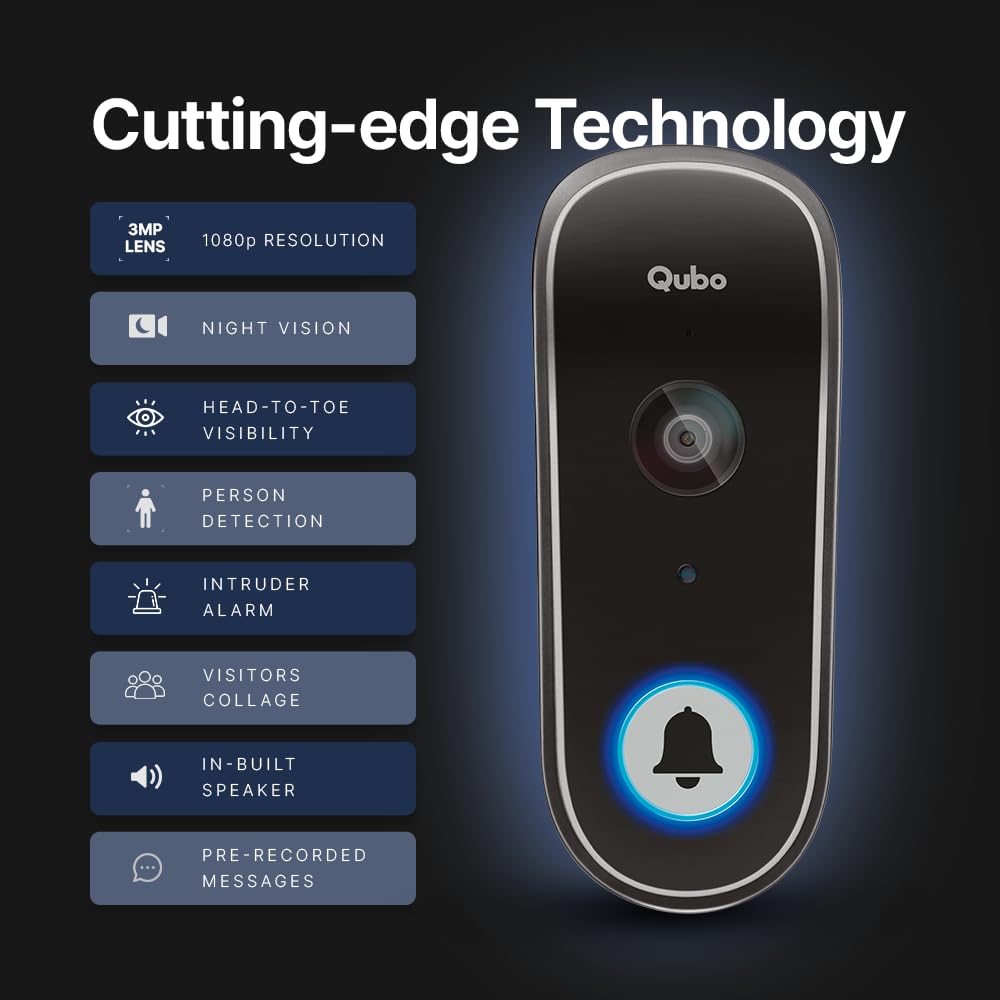
The Qubo Smart WiFi Video Doorbell is a modern home security device that brings convenience and safety right to your fingertips. With features like high-definition video, two-way audio, motion detection, and night vision, it allows homeowners to see and communicate with visitors instantly through a smartphone, even when they are away. Some models include AI-powered alerts and tamper protection, ensuring you never miss an important visitor or potential security threat. Easy to install and use, the Qubo doorbell transforms your entrance into a smart, secure, and connected space, offering peace of mind and effortless control over home access.
Accessible Sports Equipment
Accessible sports equipment refers to specially designed or adapted gear that enables people with disabilities — including those with mobility impairments, visual impairments, or other physical challenges — to participate fully and safely in a wide range of sports and recreational activities. Examples include beeping balls for visually impaired players, goalball equipment, tandem bicycles, wheelchair sports gear (for basketball, tennis, racing), adaptive ski and snowboard gear, and auditory or tactile timing devices. This equipment removes barriers by incorporating sensory cues (sound, touch), modified ergonomics, and inclusive design so athletes of all abilities can enjoy play, build fitness, and experience the social and emotional benefits of sport with confidence and independence.
Accessible Balls for Visually Impaired Players
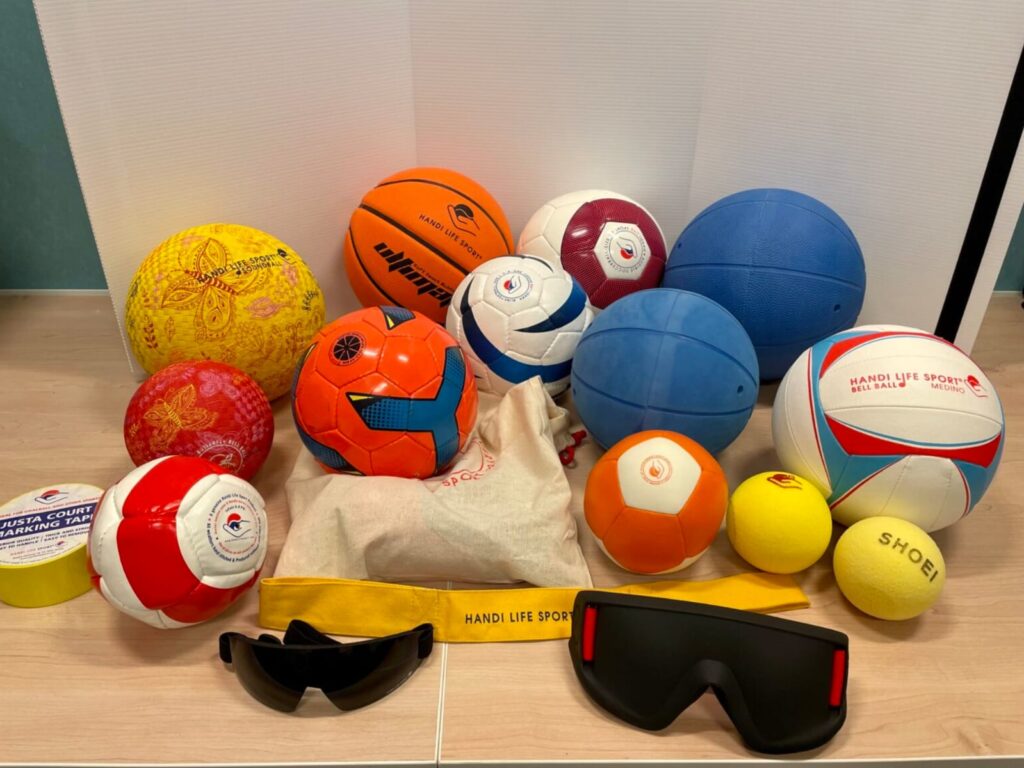
Accessible Balls for Visually Impaired Players are specially designed sports balls that allow individuals with visual impairments to enjoy games safely and independently. These balls often include bells, beepers, or other sound mechanisms so players can track their movement and direction by listening. Used in sports like goalball, soccer, basketball, and cricket, these adaptive balls promote fitness, coordination, and teamwork, making sports inclusive and fun for everyone, regardless of vision ability.
Large Print Scrabble
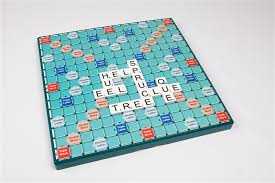
Large Print Scrabble is an adapted version of the classic word game designed for players with low vision or visual impairments. The tiles and board feature bigger, high-contrast letters that are easier to see, allowing players to focus on strategy and spelling without straining their eyes. This accessible version ensures that everyone can enjoy the fun, mental challenge, and social interaction of Scrabble, making it inclusive, engaging, and family-friendly.
Ludo Board Game
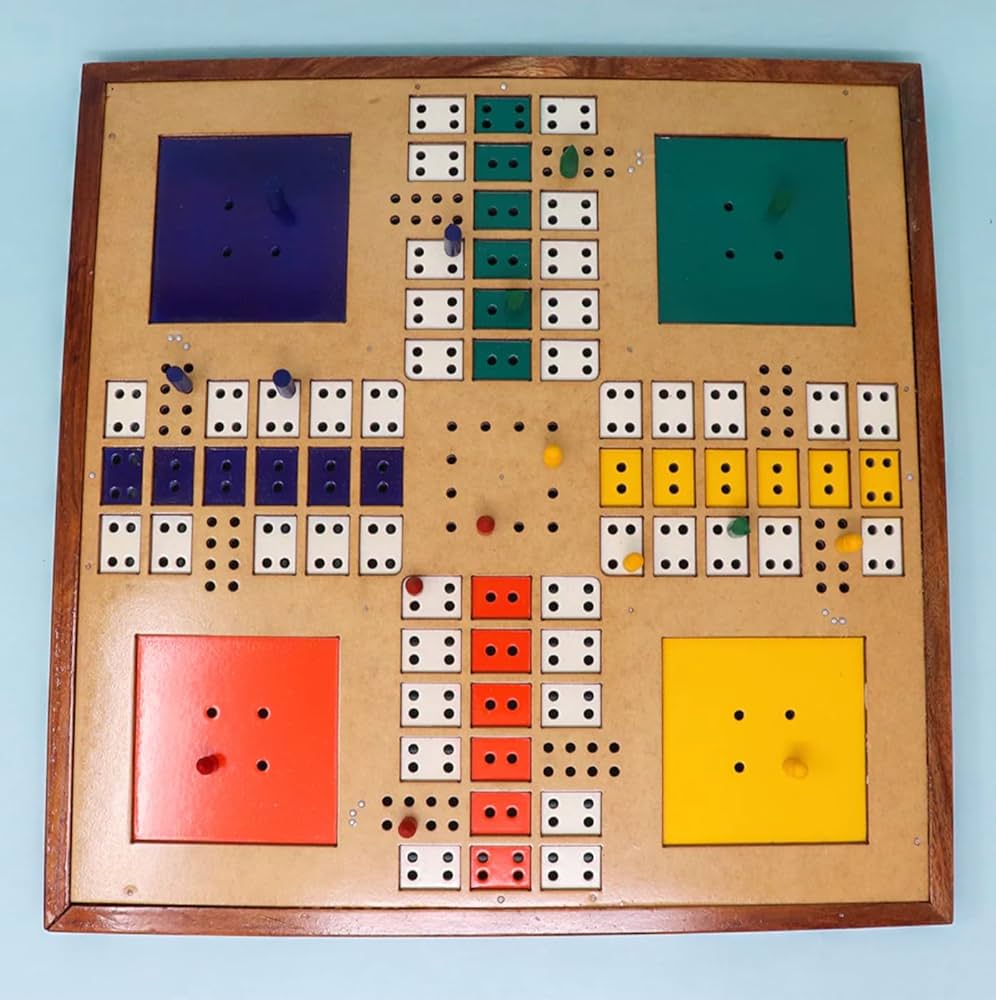
Ludo for Visually Impaired is an adapted version of the classic board game that allows players with visual impairments to enjoy the fun and strategy of Ludo independently. The board usually features raised or tactile markings, while tokens and dice are designed with distinguishable shapes, textures, or Braille numbers, helping players navigate and play by touch. This inclusive design encourages social interaction, critical thinking, and recreational engagement, making Ludo accessible and enjoyable for everyone.
Wooden Dice Braille
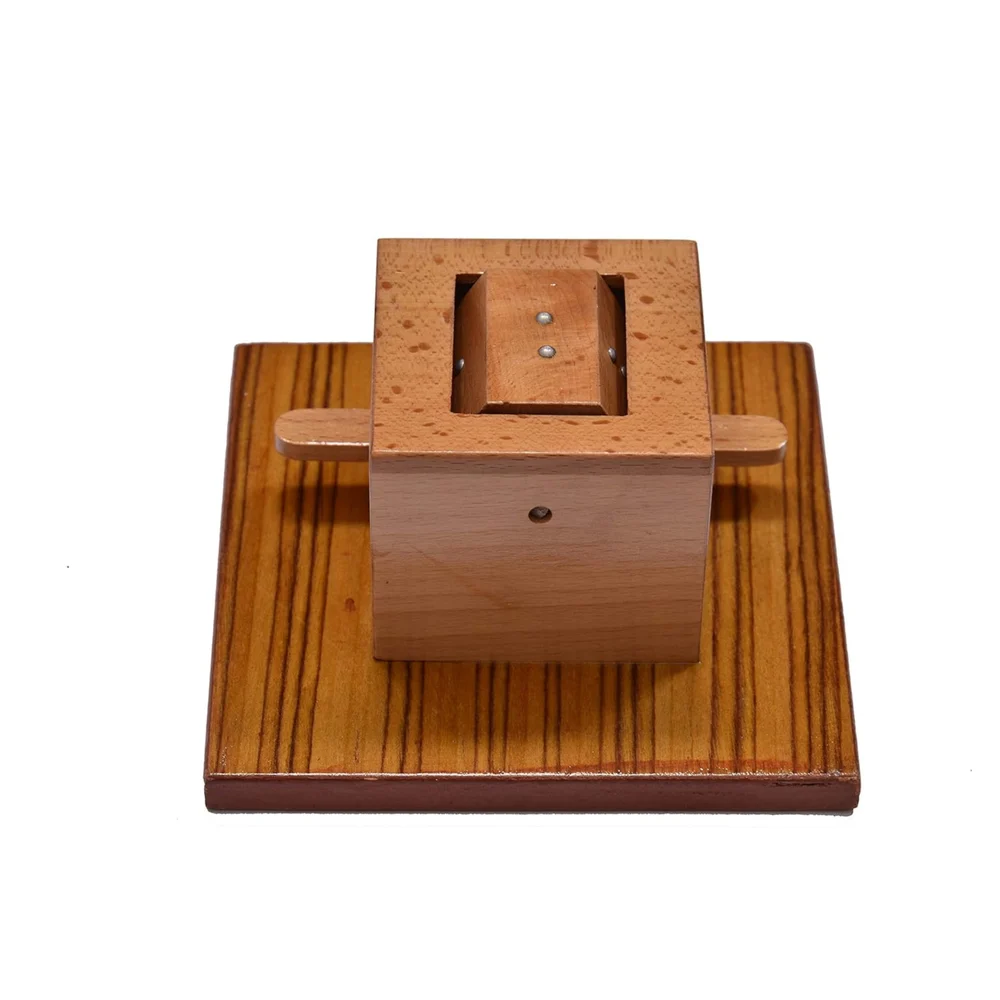
Wooden Braille Dice are tactile dice crafted from wood, designed specifically for people with visual impairments. Each face of the dice features raised Braille numbers, allowing players to feel and identify the result with their fingertips. Durable and easy to handle, these dice make traditional games accessible, inclusive, and enjoyable, promoting independent play, learning, and social interaction for visually impaired individuals.
Chess Board
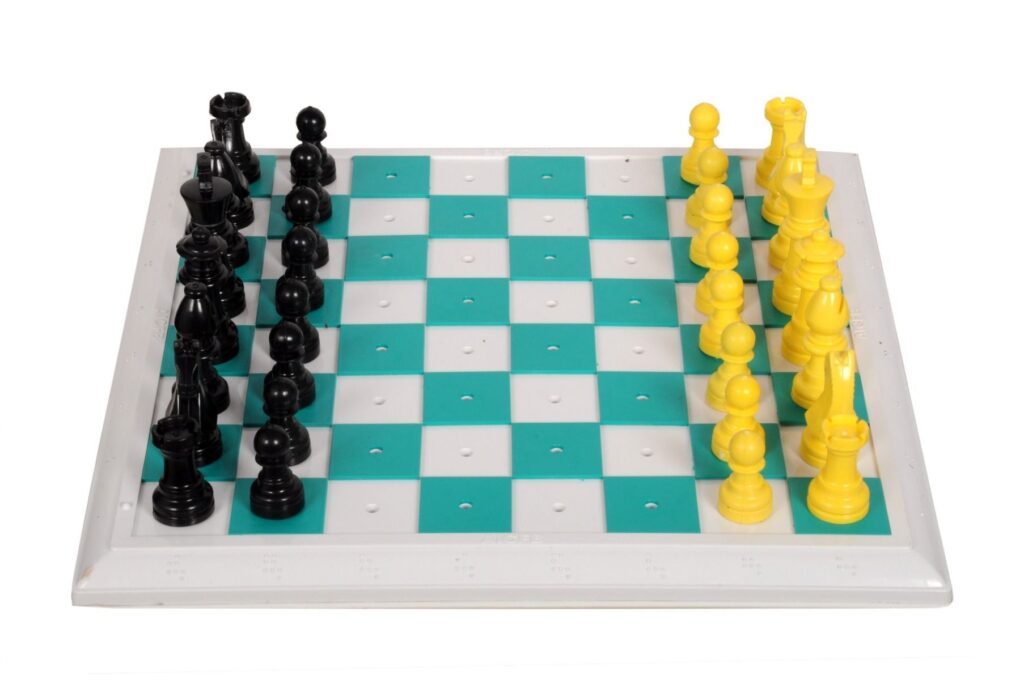
Chess for Visually Impaired is an accessible version of the classic strategy game designed to be played by touch. The board features tactile squares with contrasting textures, while the pieces are distinctly shaped or marked with Braille to differentiate black and white. This allows visually impaired players to feel the board, plan moves, and enjoy competitive play independently, promoting strategic thinking, focus, and social interaction in an inclusive and engaging way.
Snakes and Ladders
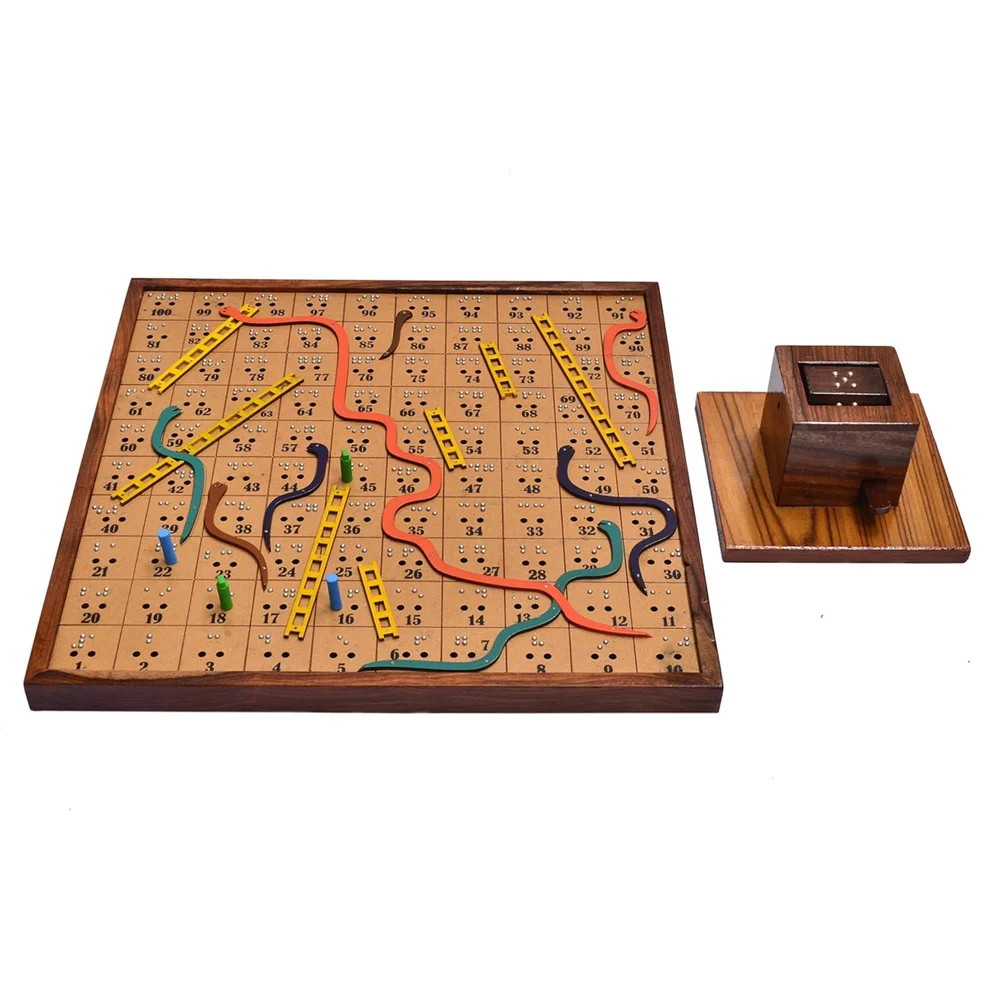
Tactile and Braille-Based Snakes and Ladders is an accessible version of the classic board game designed for players with visual impairments. The board features raised paths, textured snakes and ladders, and Braille numbering on squares, while the dice are either tactile or Braille-marked. This design allows players to feel their moves and navigate the game independently, making it a fun, inclusive way to develop counting skills, strategy, and social interaction for visually impaired children and adults alike.
Tic Tac Toe
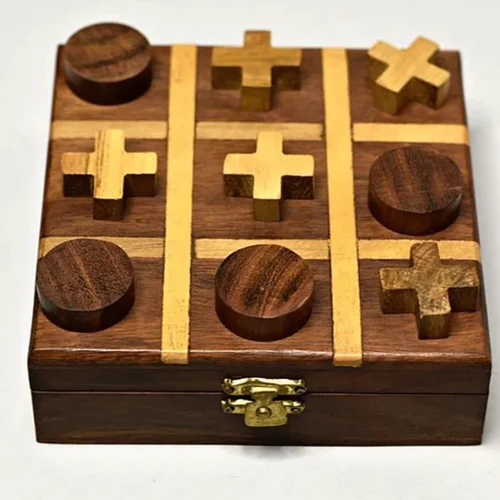
Wooden Tactile Tic Tac Toe is an inclusive version of the classic game designed specifically for children with visual impairments. The board has raised grids, and the X and O pieces are tactilely different, so children can feel their moves and play independently. This accessible game helps develop strategic thinking, fine motor skills, and social interaction, making playtime both fun and educational for visually impaired kids.
Rubik’s Cube
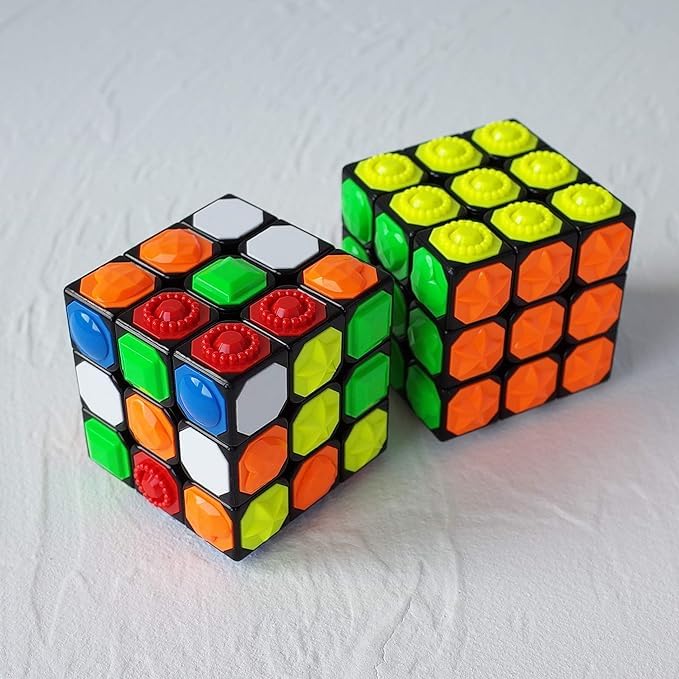
A Tactile Rubik’s Cube is specially designed for children and adults with visual impairments, allowing them to enjoy the classic puzzle using touch instead of sight. Each face of the cube features distinct textures or raised patterns for different colors, so players can feel and recognize the pieces while solving the puzzle. This accessible design encourages problem-solving, spatial reasoning, and fine motor skills, making the Rubik’s Cube both fun and educational for visually impaired individuals.
Playing Cards
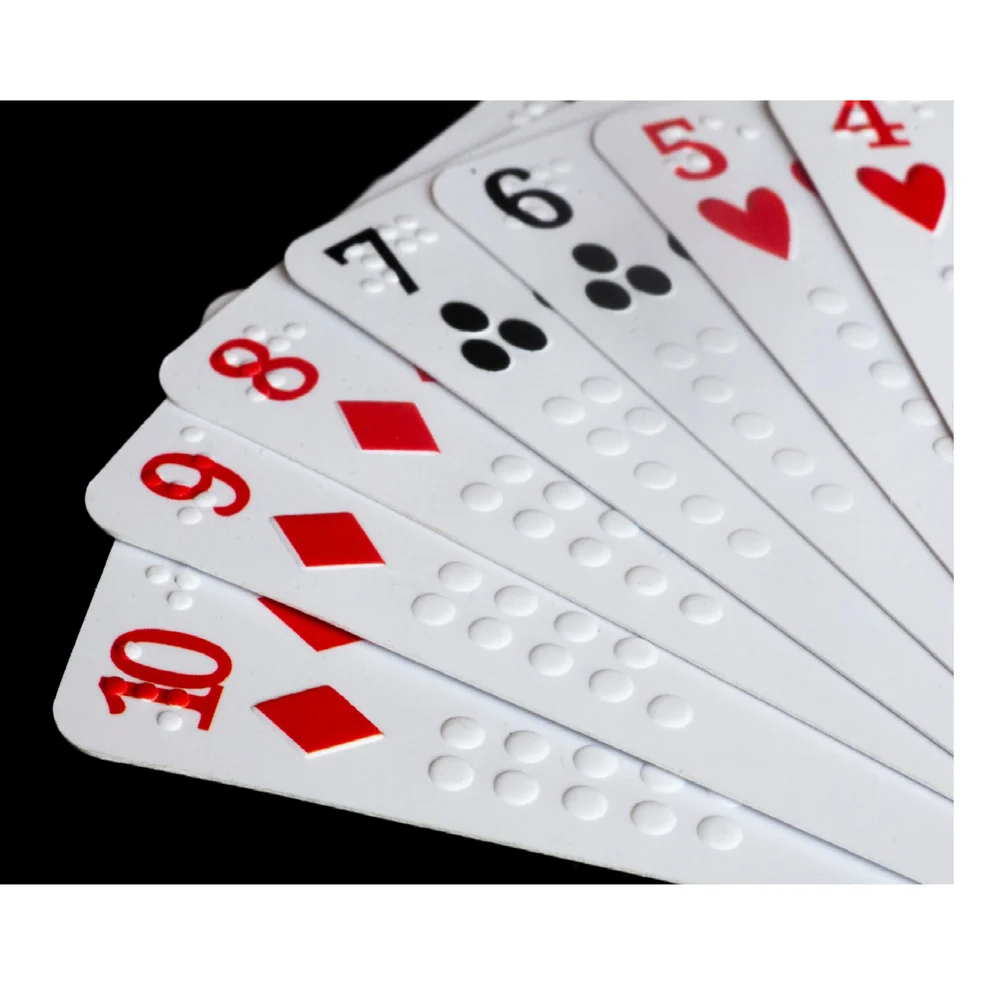
Braille Playing Cards are specially designed cards that allow children and adults with visual impairments to play card games independently. Each card features Braille numbers and suits in raised dots, making it easy to identify cards by touch. These accessible cards promote social interaction, strategic thinking, and fun, ensuring that visually impaired players can enjoy traditional card games just like anyone else.

6 Responses
Awesome content at one place
This is very informative!
Very much informative
Highly informative & useful 👍👍
So many assisstive devices ! Commendable
Very nicely done. Yes, PwDs, especially with VI, have always been using Technology as it evolved. It will make an effective Learning Source Material for even those who are not directly involved in this sector. I miss the late Shri A K Mittalji, who was so technically savy and will always come prepared. I admire Mr. D. Manocha also for his competence and skills.